Resume Examples
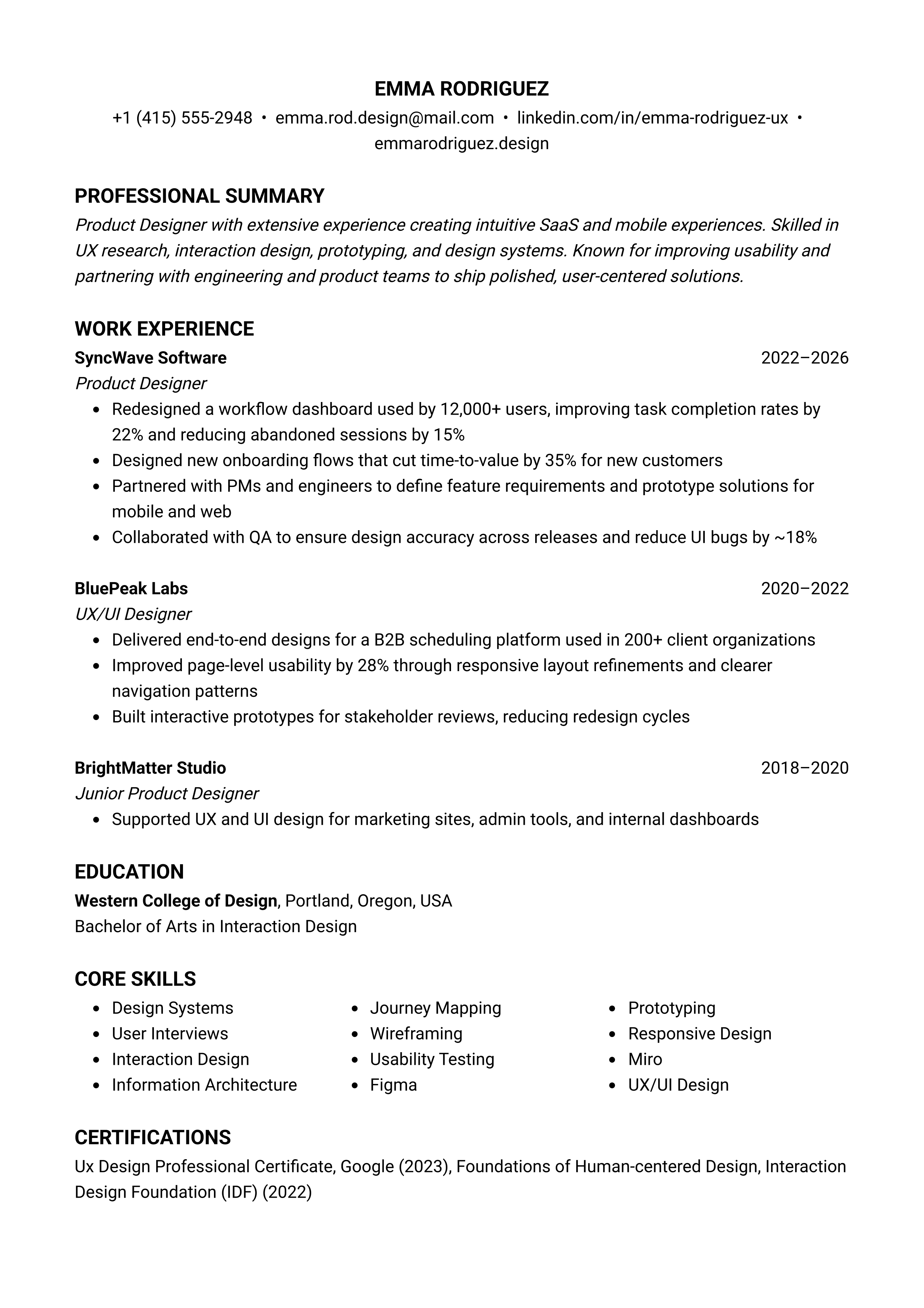
Product Designer
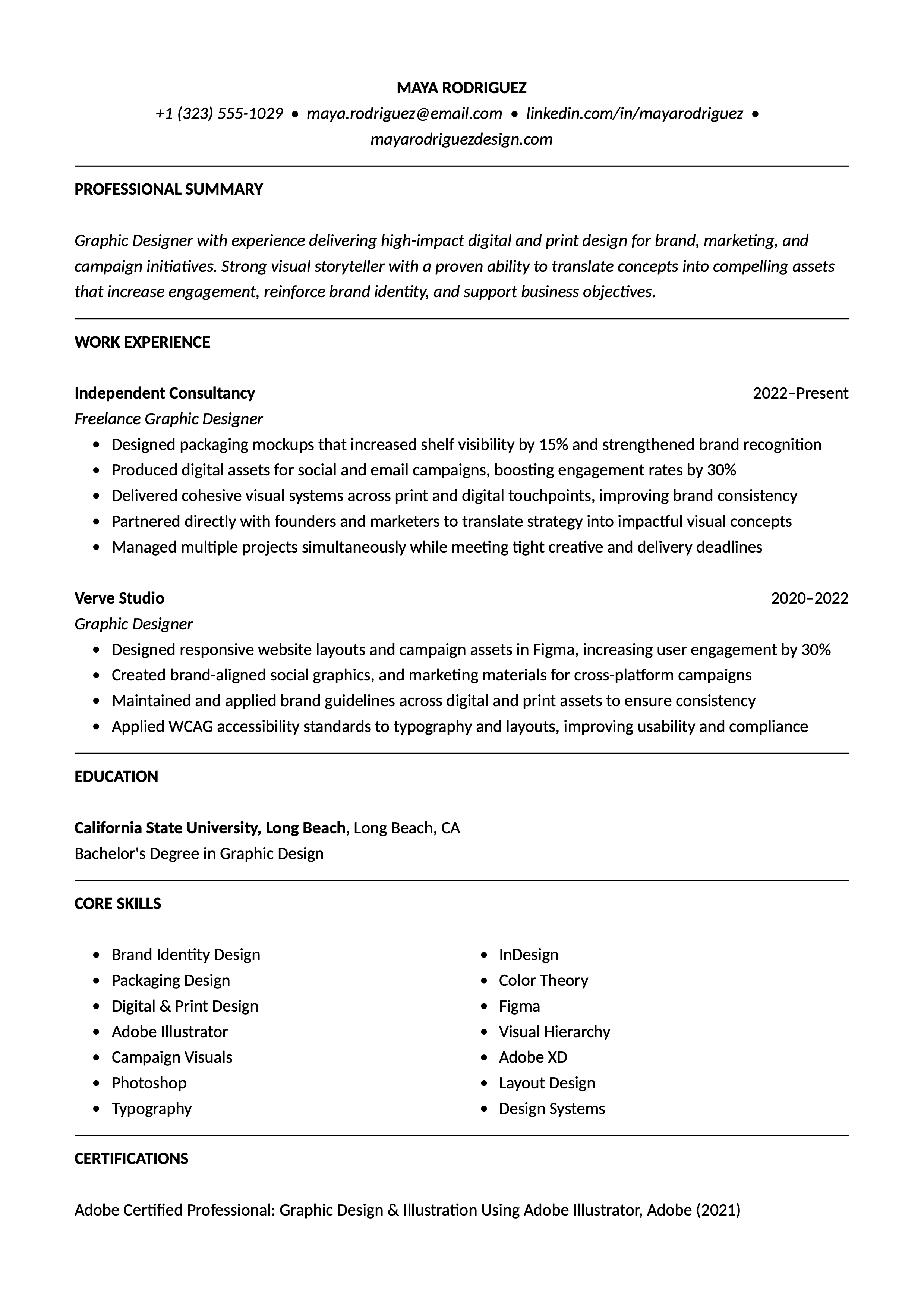
Graphic Designer
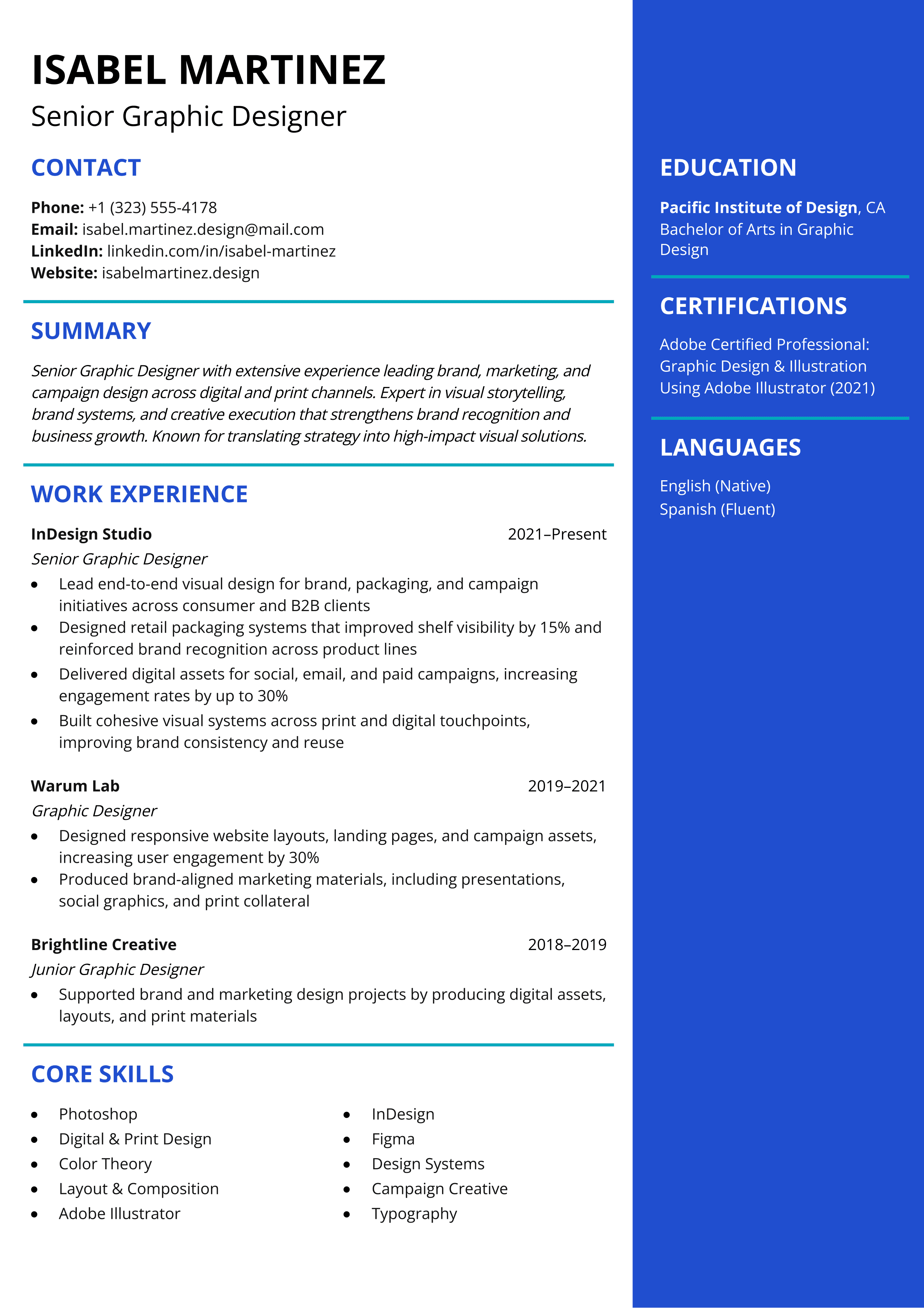
Senior Graphic Designer
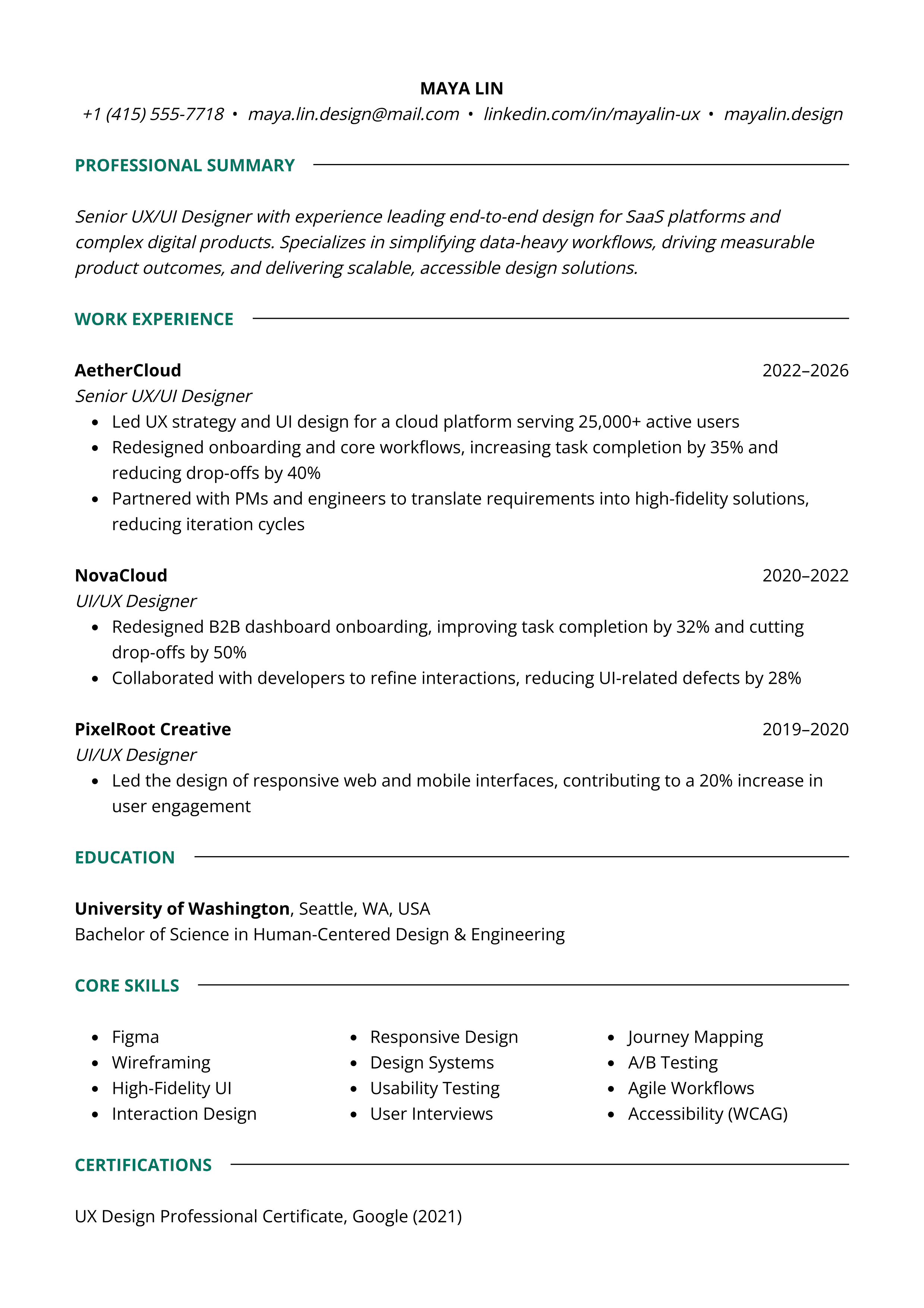
Senior UX/UI Designer
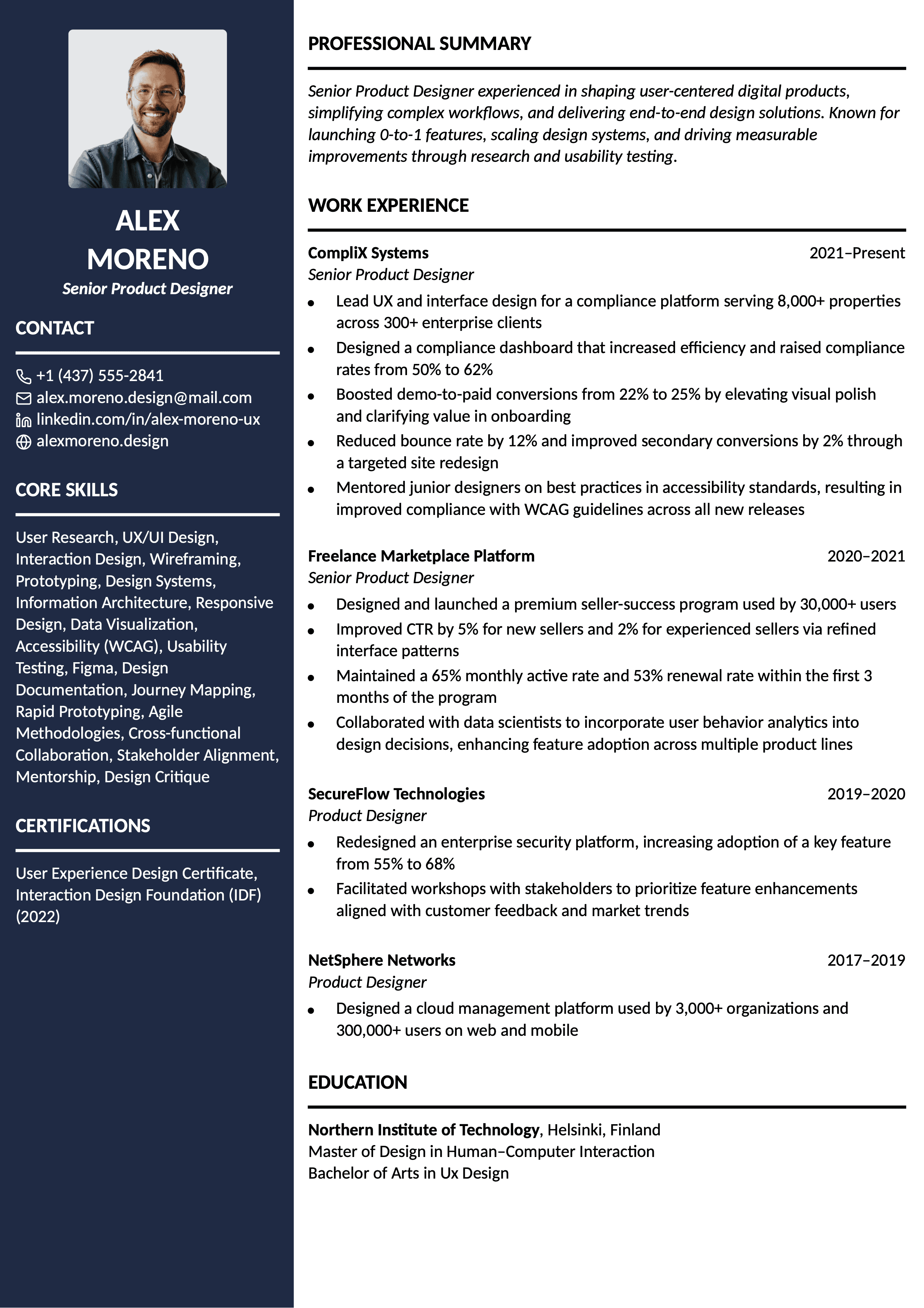
Senior Product Designer
Start Your Resume Now
Use our AI resume writer to craft a professional resume that helps you land a job.
Product Designer
Graphic Designer
Senior Graphic Designer
Senior UX/UI Designer
Senior Product Designer
Start Your Resume Now
Use our AI resume writer to craft a professional resume that helps you land a job.
What Makes a Strong Designer Resume?
A strong designer resume should show not only what you created, but also how you think and solve problems through design. Employers look for candidates who can explain their design process, collaborate across teams, and turn ideas into usable experiences.
Your resume should clearly highlight the type of design work you do, whether that's graphic design, UX/UI, product design, or digital design. It also helps to mention the tools and workflows you're comfortable with, such as Figma, Adobe Creative Suite, Sketch, wireframing, prototyping, or design systems. These details help employers quickly understand your background and areas of expertise.
Strong resumes focus on impact, not just responsibilities. Instead of listing day-to-day tasks, explain the results of your work whenever possible. For example, you might mention improving user engagement, simplifying a design workflow, increasing conversion rates, or contributing to a successful product launch.
Professional Summary for Designer Resumes
For experienced designers, it's recommended to use a professional summary instead of a resume objective. A strong summary section helps recruiters quickly understand your area of expertise, whether that's UX/UI, product design, graphic design, branding, or digital design, while also highlighting relevant tools, industries, leadership experience, or measurable results.
For example, you might mention improving user engagement, contributing to a product launch, building scalable design systems, or leading cross-functional collaboration. Including tools like Figma, Adobe Creative Suite, Sketch, or prototyping platforms also helps employers quickly understand your technical background.
Traditional career objectives are generally less useful because they focus more on what the candidate wants rather than the value they bring. For entry-level designers, recent graduates, or career changers, it's more effective to use that space for transferable skills, portfolio projects, internships, certifications, or relevant design coursework instead.
Key Skills for a Designer Resume
A strong designer resume should balance technical skills, problem-solving, and collaboration. Your skills section should highlight the tools, workflows, and core competencies most relevant to the type of design work you do, such as UX/UI, graphic design, product design, branding, or digital design.
Common hard skills for designers include wireframing, prototyping, user research, visual design, typography, responsive design, and design systems. It also helps to mention industry-standard tools like Figma, Adobe Creative Suite, Sketch, or prototyping platforms. UX and product designers may also include usability testing, accessibility, A/B testing, or cross-functional collaboration.
Communication and collaboration skills are also important, especially for senior or client-facing roles. Designers often work closely with developers, marketers, product managers, and stakeholders, so it's helpful to show experience working across teams and presenting design decisions clearly.
- Adobe Creative Suite
- Figma
- UX/UI Design
- Motion Graphics
- Visual Design
- Typography
- Brand Identity
- Prototyping
- Responsive Design
- User Research
Relevant Keywords for Designer Resumes
The keywords you include on your designer resume should mirror the type of design work you actually do and match the requirements of the role you're applying for. Employers and applicant tracking systems (ATS) systems usually scan resumes for specific tools, workflows, and areas of expertise related to the position.
Common designer resume keywords include UX/UI design, user research, wireframing, prototyping, design systems, responsive design, accessibility, visual design, and branding. Depending on the role, it can also be helpful to mention tools like Figma, Adobe Creative Suite, Sketch, or collaboration workflows used in product and creative teams.
Instead of adding keywords just for visibility, focus on using relevant terms naturally throughout your resume. The strongest resumes connect skills and tools to real projects, measurable outcomes, and practical design experience.
- User-centered Design
- Design Systems
- Responsive Design
- User Research
- Wireframing
- Creative Direction
- Art Direction
- Visual Identity
- Brand Guidelines
- Web Design
ATS Optimization for Designer Resumes
Many creative employers use applicant tracking systems (ATS) to review applications before resumes reach a recruiter or hiring manager. While your portfolio is the right place to showcase visual creativity and design style, your resume should stay simple, structured, and easy to scan.
An ATS-friendly resume uses clear formatting, standard section headings, and a list of tools and skills. Instead of broad terms like "design software," mention specific platforms such as Figma, Adobe Creative Suite, Sketch, or prototyping tools that are relevant to the role. It also helps to include measurable project outcomes, like improving engagement, supporting a product launch, or reducing design turnaround time.
For most design roles, a clean single-column layout is usually the safest choice. Heavy graphics, text boxes, background images, or infographic-style resumes can create readability issues in some applicant tracking systems, including platforms like Greenhouse or Workday.
Design & Style Guidelines for Designer Resumes
Designer resumes can be slightly more visually polished than resumes in more traditional industries, but readability should still come first. Your portfolio is usually the best place to showcase creativity and visual experimentation, while your resume should focus on presenting information clearly.
A clean resume layout with consistent spacing, clear section headings, and readable fonts is usually the safest approach. Fonts like Helvetica, Inter, Calibri, or Verdana are commonly used because they stay professional and easy to scan. Most designers also benefit from keeping the page structure simple, especially when applying through applicant tracking systems.
Subtle use of color, typography, or spacing can help a resume feel more aligned with design roles without becoming distracting. Heavy graphics, complex multi-column layouts, or text embedded inside images can create readability and formatting issues for both recruiters and ATS platforms.
Common Mistakes in Designer Resumes
- Being vague about your design specialization, making it unclear if your background is in UX/UI, product, graphic, or digital design.
- Missing portfolio or case study links that show both your final work and your design process.
- Listing tools like Figma or Adobe Creative Suite without explaining how you used them in real projects.
- Focusing only on visual output without mentioning research, usability, accessibility, collaboration, or measurable outcomes.
- Using complex layouts with heavy graphics, text boxes, or infographic-style formatting that can hurt readability.
Frequently Asked Questions
A designer resume should usually be one page long, especially for entry-level and mid-level roles. Senior designers with extensive experience or leadership backgrounds may occasionally use two pages if the content remains highly relevant. Your portfolio is typically where employers expect to see detailed case studies, visuals, and additional project work.