The volume of applications for tech roles continues to rise, especially in AI and ML engineering, cybersecurity, cloud infrastructure, and data science—fields where some postings now attract more than a thousand resumes. To manage this scale, nearly all Fortune 500 companies now use Applicant Tracking Systems (ATS). Yet many job seekers remain unaware that their resumes are screened by software before reaching a recruiter, and that the specific ATS a company uses can shape the way their application is evaluated.
Understanding how different ATS platforms work and learning to recognize which one a company uses helps tech professionals tailor their resumes for optimal parsing, increasing their chances of advancing through automated filters and ultimately reaching human recruiters.
An Applicant Tracking System is specialized software designed to help employers handle large volumes of job applications. The best ATS software platforms aggregate applications from multiple sources, parse resume content, filter candidates based on specific criteria such as keywords and skills, rank applicants for relevance, and manage communication workflows. These systems reduce recruiter workload while promoting consistency and compliance in hiring.
Modern ATS for large companies and small companies alike increasingly leverage artificial intelligence and machine learning to enhance candidate matching and minimize unconscious bias.
“Many job seekers don’t realize how heavily ATS platforms influence the resume review process. If your resume isn’t optimized, it might get filtered out before a recruiter ever sees it.”
— Marisa Goldberg, Senior Director of Recruiting at Toptal
Several widespread misconceptions about ATS platforms can mislead job seekers. One common myth is that all ATS parse resumes identically. In reality, parsing rules and algorithms vary significantly between providers and even across industries. For example, enterprise-level systems often have more complex workflows and compliance requirements, while small-business ATS focuses mainly on basic parsing and candidate tracking.
For tech resumes, this matters even more. Job titles like software engineer and full-stack developer may parse differently if shortened (e.g., just “Engineer”), and acronyms like AWS or SQL should be paired with the full phrase (“Amazon Web Services,” “Structured Query Language”) so both ATS and recruiters recognize them.
Another misconception is that simply “beating the ATS” guarantees an interview. While passing the initial screen is important, hiring teams ultimately evaluate resumes for clarity, relevance, and impact. An ATS may move your application forward, but it still needs to convince human recruiters.
Lastly, many believe that creative, graphic-heavy resumes make an application stand out. In practice, design-heavy layouts (with tables, images, or unusual fonts) often confuse parsing engines and lead to incomplete or inaccurate data extraction. Now that we’ve addressed the myths, here are the leading ATS vendors shaping the hiring process today.
According to market research, the top ATS vendors by market share include iCIMS, Oracle, Workday, Greenhouse, UKG, and SAP, alongside platforms like Employ (Lever, JazzHR, Jobvite), SmartRecruiters, Dayforce, and Paycom. These systems dominate enterprise adoption and shape how candidate applications are filtered, ranked, and advanced.
iCIMS is a pure-play ATS vendor, widely used across mid-market and enterprise organizations. According to the Santa Clara University Career Center, iCIMS can struggle with parsing resumes that include images, graphics, or non-standard characters, which can result in missing information.
For tech resumes, symbols used in programming (e.g., <>, {}, #) or unusual fonts can cause parsing errors in iCIMS, so it’s best to keep formatting simple and code references in plain text. The system works best with DOC, DOCX, or PDF files, and acronyms should be both spelled out and abbreviated (e.g., Structured Query Language (SQL)). Market research shows that iCIMS leads the ATS space with about 10.7% market share.
Oracle offers a recruiting/ATS module as part of its broader Oracle Cloud HCM suite. It’s widely adopted by large enterprises and integrates tightly with Oracle’s HCM platform, enabling recruiters to manage candidates alongside payroll, performance, and workforce data. With AI-driven automation, embedded Customer Relationship Management (CRM) tools, and enterprise-scale infrastructure, Oracle Recruiting is designed to support organizations with complex and high-volume hiring needs.
For tech candidates, Oracle’s enterprise-wide integration can surface your profile across multiple roles (e.g., cloud, engineering, or data science) based on keywords. This makes precise alignment with job postings, especially technical skills and certifications, critical for visibility across departments. As with other enterprise systems, tech candidates should use clean, text-based formatting in DOC, DOCX, or PDF files and avoid non-standard section headings. Acronyms should be paired with full terms (e.g., Amazon Web Services (AWS)) to ensure parsing accuracy.
Workday’s recruiting product is integrated within the Workday HCM platform. It expects traditional headings like “Experience,” “Education,” “Skills,” and “Certifications.” For tech candidates, it’s best to group technical proficiencies under a clear “Skills” section (with subcategories such as Programming Languages, Cloud & DevOps, or Data & AI) and keep “Certifications” separate (e.g., AWS, Azure, CompTIA). Workday may miss or misclassify information if unconventional section labels are used.
Non-standard headings and complex formatting (columns, tables, graphics, images) may not be parsed. The system works best with DOC, DOCX, or PDF files. Tech candidates should also be mindful of acronyms: include them as written in the job description and spell them out so both the system and recruiters can understand your experience.
Greenhouse is a dedicated ATS (with some CRM functionality) focused on candidate experience and structured interviewing. However, its resume parsing can be error-prone. Resumes may fail to parse correctly if they include spaces between letters, graphics, or photos. Parsing issues also occur when resumes are uploaded as images instead of documents, or when they contain tables, headers, or footers.
For tech resumes, additional risks include GitHub links, code snippets, or portfolio visuals embedded in graphics or tables—these often cause parsing errors. Embedding links in plain text is more reliable.
Other common problems with Greenhouse parsing include:
- Contact information placed in a header, footer, or text box.
- Columned layouts or inconsistent section formatting.
- Company names missing identifiers such as Inc., Co., LTD, or LLC.
- Incomplete job titles (e.g., “Account Exec” instead of “Account Executive”).
Greenhouse also warns that overly large resume files or fake/anonymized data can cause the system to fail to parse a resume altogether.
UKG provides UKG Pro Recruiting, an ATS embedded within its broader HCM suite. The platform emphasizes a candidate-centric, relationship-driven design that integrates with tools like LinkedIn to streamline sourcing and hiring. By combining recruiting with HR and payroll functions, UKG Pro Recruiting helps ensure that candidate information flows seamlessly into employee records after hire, while delivering a simplified, mobile-friendly experience for applicants.
For tech job seekers, UKG’s strong LinkedIn integration means skills commonly listed on LinkedIn profiles (e.g., Python, Kubernetes, AWS) may help improve visibility to recruiters. As with other ATS, tech applicants should avoid complex resume layouts—clean, text-based resumes align best with UKG’s parsing engine.
SAP offers SuccessFactors Recruiting, an ATS within its broader talent acquisition suite. The system parses common resume fields (such as personal details and work history) and supports multiple languages, including English, German, French, Spanish, Portuguese, and Chinese. However, it has several limitations. Picklist fields (with predefined values) may not parse correctly. Resumes submitted via API or by agencies are not parsed, and parsing often fails when Mobile Apply is enabled or when scanned/image-based PDFs are uploaded.
For tech professionals, multilingual resumes and structured data (such as detailed skills matrices or project tables) are particularly risky—these often fail to parse correctly. To improve reliability, candidates should stick to a simple single-column format and present technical skills in bullet points under a clear “Skills” section, avoiding tables or complex formatting.
Lever is an AI-powered recruitment platform that combines sourcing, tracking, and relationship management in one system. It’s used by major organizations such as Netflix, Shopify, Didi Global, Aptiv, and Fanatics. Like other ATS, it places strong emphasis on keywords. Its search recognizes word variations but not acronyms, so candidates should include both the spelled-out version and the acronym when possible.
Because Lever emphasizes keyword filters, tech applicants should mirror specific terms from job postings (“JavaScript” vs. “JS,” “Machine Learning Engineer” vs. “ML Engineer”) to avoid being overlooked. Recruiters also often apply filters, meaning that resumes must match job titles, skills, or degree names in the posting to appear in searches.
When it comes to parsing, Lever struggles with resumes that use tables, columns, or graphics. Its parser only supports certain file types (DOC, PDF, RTF, WORDPERFECT, HTML, and ODF) and cannot extract information from image-based files like JPG or PNG.
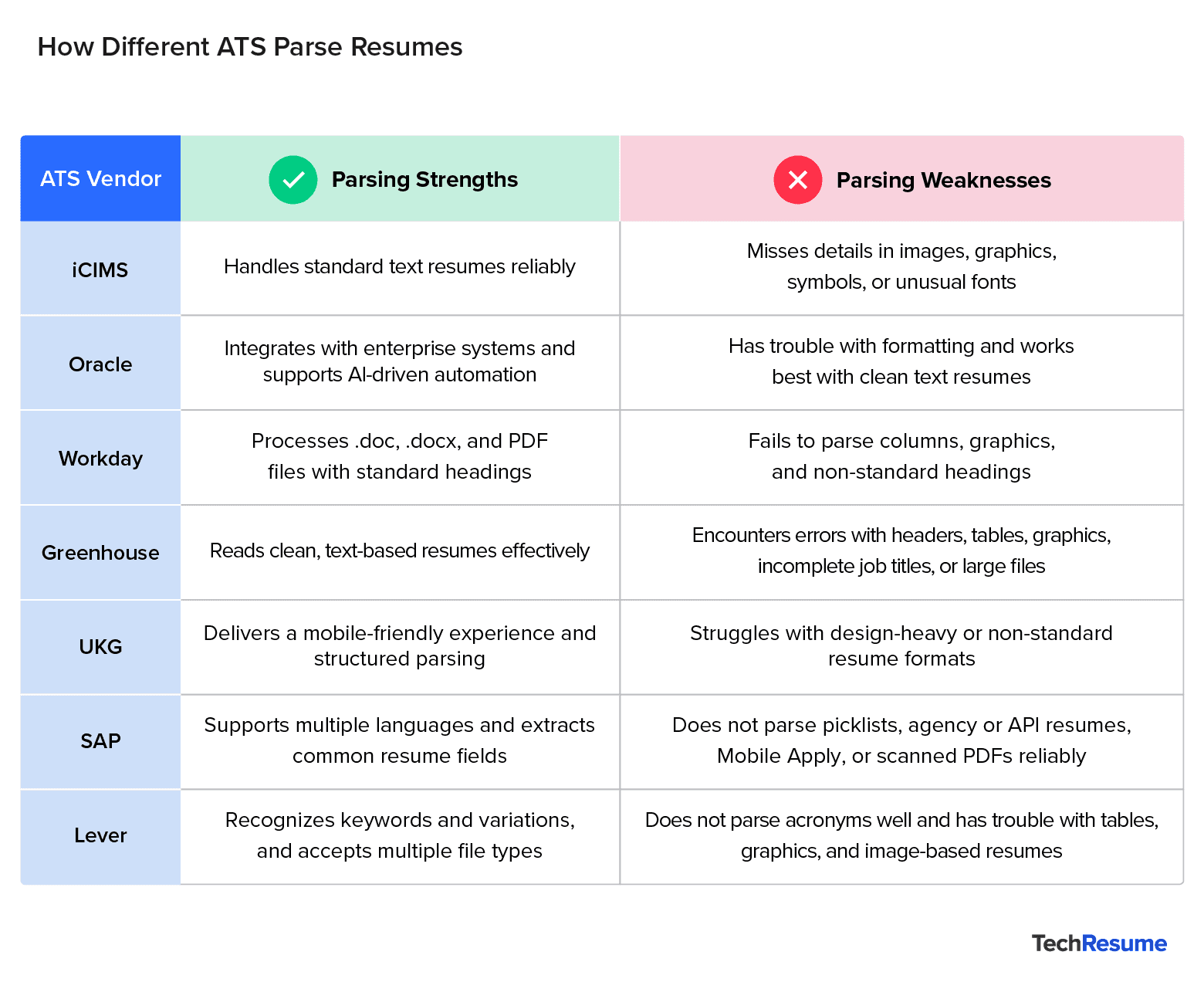
Each Applicant Tracking System (ATS) shapes the hiring process in unique ways. At the most basic level, different ATS employ proprietary parsing algorithms and formatting rules that affect how resumes are read.
For example, Workday’s parser often struggles with multi-column layouts and embedded graphics, which can cause important details to be missed. In addition, SAP’s recruiting tools may weigh strict keyword matching more heavily, while Greenhouse favors clean, text-based resumes with standard section headers to maximize parse accuracy. This means a resume optimized for one ATS may not perform as well in another.
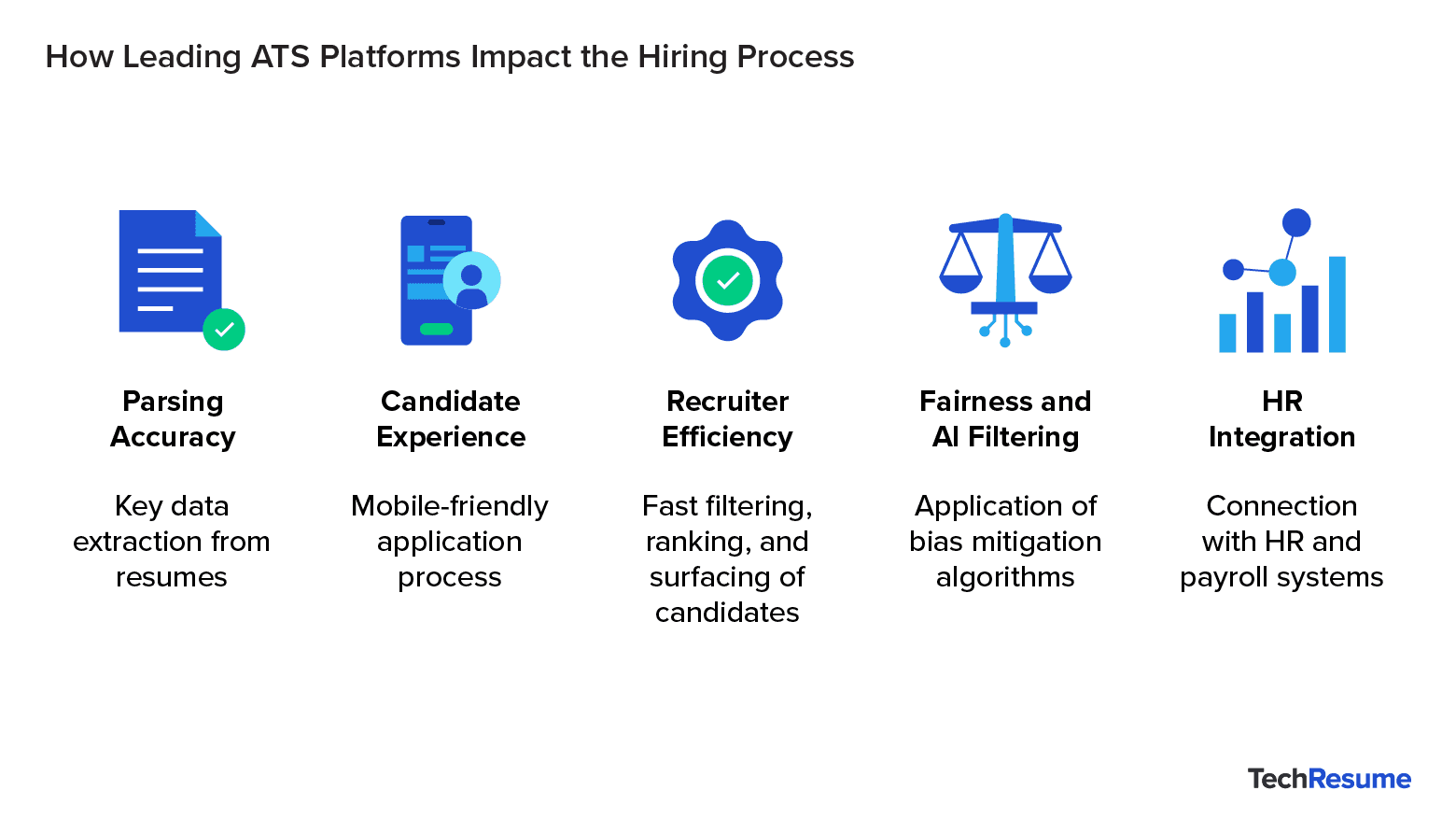
Beyond parsing, the choice of ATS also impacts:
- Candidate experience: Some platforms (e.g., Greenhouse) are designed for smooth, mobile-friendly application flows, while others can feel lengthy and discouraging.
- Recruiter efficiency: Systems vary in their ability to filter, rank, and surface qualified candidates quickly.
- Fairness and AI filtering: Vendors use different algorithms and bias-mitigation features, influencing which applicants advance.
- Integration with HR systems: Platforms like Workday or SAP connect seamlessly with payroll, performance, and workforce data, shaping how hiring aligns with business strategy.
These ATS use AI to evaluate candidates on key skills, keywords, and qualifications, often without human eyes on your resume initially. Knowing this means you should tailor your resume with relevant tech keywords and clear, quantifiable achievements to improve your ranking.
Additionally, platforms like iCIMS and Oracle use autonomous agents to streamline recruiter tasks such as candidate scoring and job description optimization. Your profile could be matched internally with other open roles you might not have applied to directly. Similarly, systems such as SAP SuccessFactors and Workday deeply integrate recruiting with broader HR and enterprise software. This means your application status and interactions could automatically sync across multiple platforms, affecting how recruiters engage with you.
Moreover, ATS platforms increasingly use chatbots and AI assistants (e.g., Greenhouse and UKG) to gather info, schedule interviews, and nurture candidates. Prompt and clear communication with these tools can keep you ahead in the process. Nowadays, many ATS are also designed for multinational use, supporting multiple languages and regional legal requirements. This ensures your application meets compliance standards, but also means you should be clear and precise when sharing your experience.
Pro Tip: Always use a single-column, text-based resume with clear section headings to ensure compatibility across all ATS.
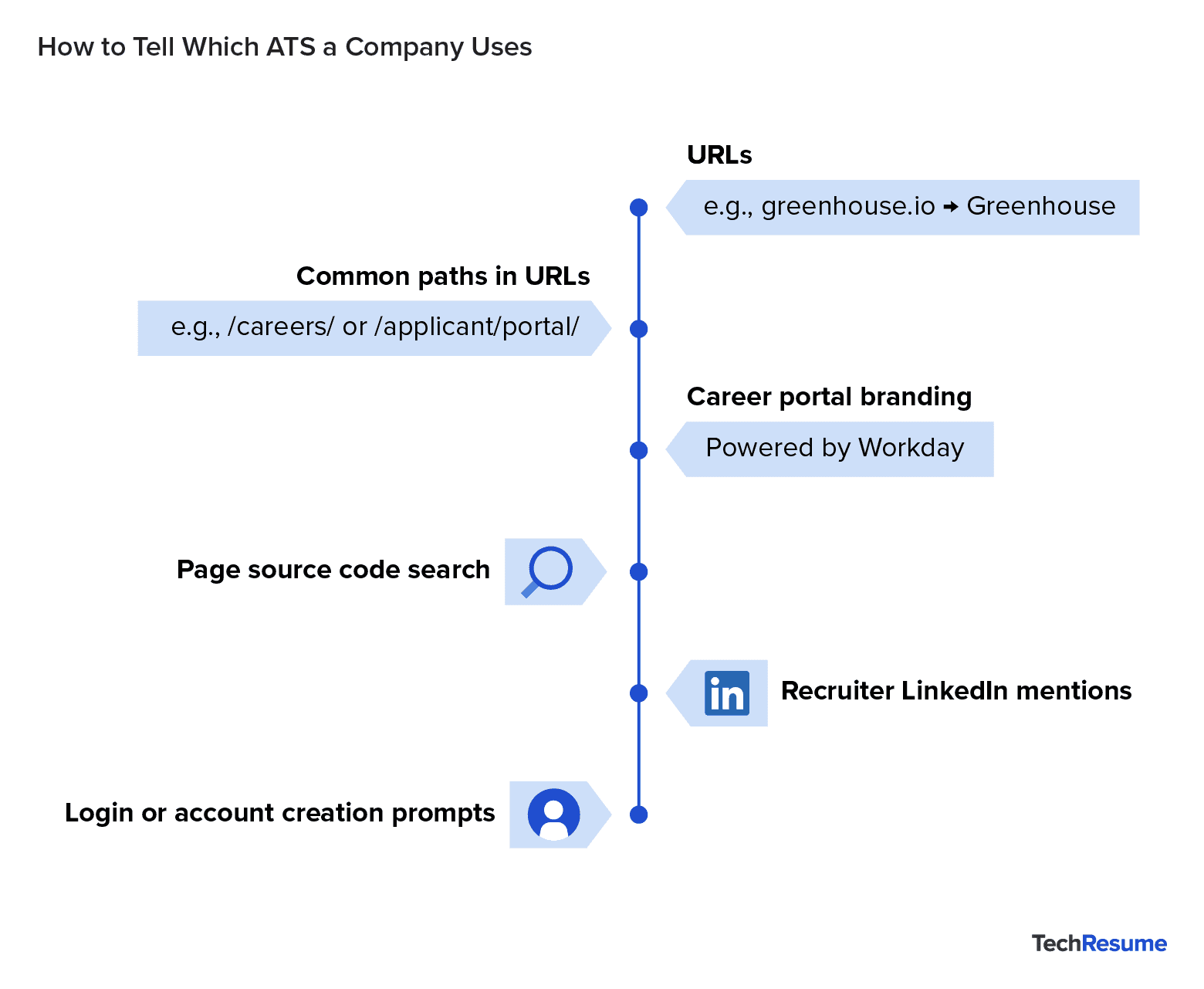
It’s not always intuitive which ATS an organization uses, if any, but some clues can help you discern this information:
- Check the URL: When you click “Apply,” the web address often reveals the ATS. For example, “greenhouse.io” indicates Greenhouse, while “myworkdayjobs.com” signals Workday.
- URLs with dedicated terms such as “/careers/” or “/applicant/portal/” may point to an ATS platform.
Despite differences between ATS platforms, universal best practices exist for crafting resumes that parse effectively. As MIT’s Career Advising & Professional Development office notes, candidates should avoid complex formatting elements such as tables, images, and graphics, which commonly cause parsing errors. Instead, they should use simple, readable fonts like Arial or Calibri and naturally incorporate job-specific keywords throughout their experience descriptions.
In tech resumes, quantifying impact is especially powerful—for example, “Improved API response time by 30%” or “Deployed a cloud migration reducing costs by $500,000 annually.” This gives both the ATS and recruiters more context and makes your achievements measurable.
“The best strategy for passing ATS filters is to align your resume with how these systems parse information. Clear formatting, standard section headings, and job-specific keywords can be the difference between getting filtered out or moving forward in the review process.”
— Marisa Goldberg, Senior Director of Recruiting at Toptal
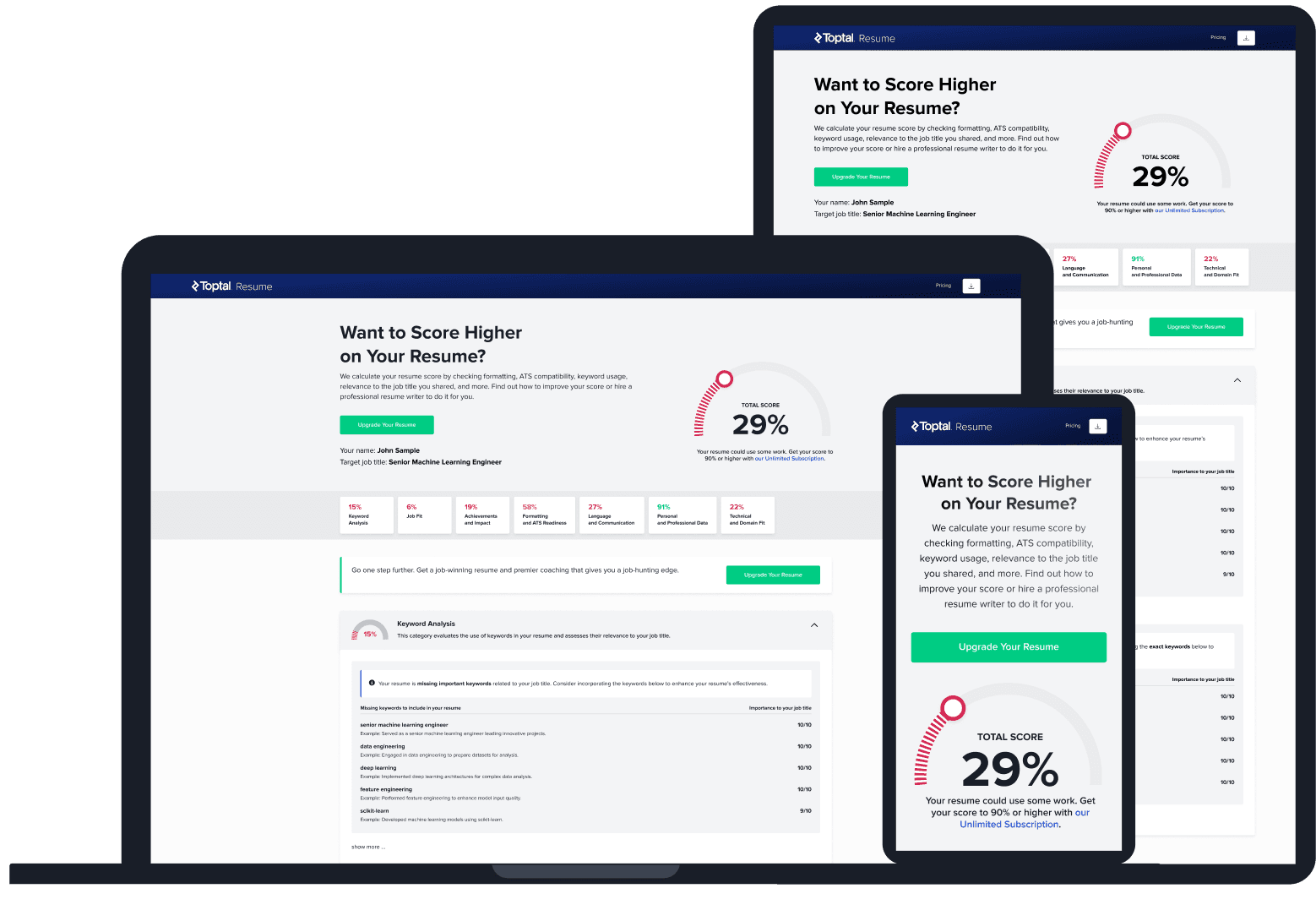
Before submitting applications to Fortune 500 applicant tracking systems, or any ATS system, job seekers can use free ATS resume checkers to test their resumes against parsing criteria and keyword requirements. These tools help identify formatting issues or missing keywords, allowing candidates to refine their documents iteratively for better ATS performance.
Pro Tip: Running your resume through a free ATS resume score checker can highlight missing keywords and formatting issues, helping you improve your resume ATS score before you apply.
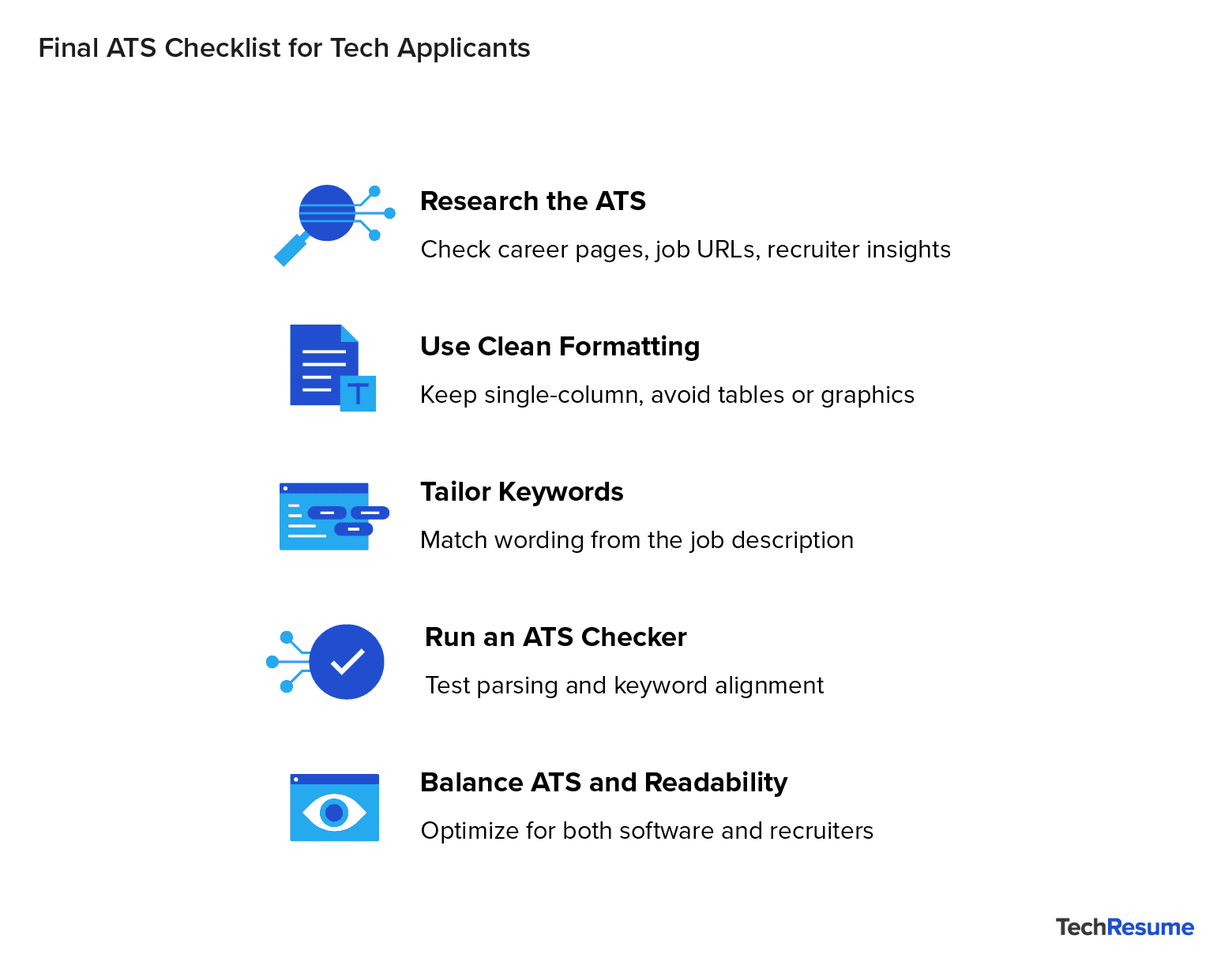
Before applying for your top tech job, here’s what you should do:
- Research which ATS their target employer uses by reviewing company career pages, LinkedIn insights, or employer technology stacks.
- Use clean, ATS-friendly formatting that avoids complex visual elements.
- Tailor your resume by incorporating role-specific keywords directly from the job description.
- Run your resume through an ATS resume checker or ATS score checker to reveal parsing issues and gaps. Most importantly, you should strive to balance ATS compatibility with readability for human recruiters to maximize your chances of success.
Tech professionals aiming to stand out in today’s tech job market can start by using Toptal Resume’s free ATS score checker to uncover keyword gaps and formatting issues that might be holding them back. Optimizing your resume for ATS isn’t just a nice-to-have—it’s a necessity. The difference between getting past the initial screen and being overlooked often comes down to how well your resume aligns with ATS requirements. By aligning your resume with how today’s leading ATS platforms screen candidates, you’ll maximize your chances of landing in front of a recruiter—and securing that top tech job.