ATS-friendly Resumes: Formatting, Examples, and Common Mistakes
A resume that looks polished can still lose information when software reads it. Here’s how to spot the formatting problems and fix them.


AUTHOR
Borislav Stojkov
Principal Resume Writer
Borislav Stojkov is a Principal Resume Writer at Toptal Resume. His professional track record includes personally reviewing and rewriting more than 2,000 resumes for professionals across industries. In his direct work with clients and the development of AI-based resume-writing services, he focuses on ATS-optimized structure, modern template design, and recruiter-aligned writing and formatting standards.
ATS-friendly resumes are resumes that can be easily read and processed by applicant tracking systems (ATS). They use a simple layout with selectable text, standard section headings, and fonts, so all the resume information is sorted out and analyzed without errors. An ATS-friendly resume format avoids complex graphic elements, such as text boxes, tables, and images, but ATS compliance also means ensuring your content clearly demonstrates your skills and achievements. In this guide, you'll learn how to make resume formatting decisions through practical checklists you can easily apply and before-and-after resume examples.
ATS-friendly Resume Format at a Glance
The table below covers the five most important resume formatting rules you should follow to create an ATS-compliant resume. These practices alone can't guarantee ATS success, but can help reduce risks with resume parsing and processing.
| Resume Formatting Element | Safe Practices | Common Risks | What to Check |
|---|---|---|---|
| Layout | Clear reading order, usually a simple single-column layout | Text from multiple columns and boxes can be mixed without a logical reading order | Copy the text into a plain-text editor and check if everything looks as it should |
| Section headings | Professional Summary, Work Experience, Education, Skills, Certifications | Creative labels like “My Journey” or “What I Bring” can confuse the software | All section headings are standard, and ATS can connect them with appropriate fields |
| Contact information | Name, phone, and email as searchable text | Contact details presented in images or hidden in a header can be missed | Confirm all contact information is extractable text |
| Fonts, bullets, dates | Standard fonts and bullet symbols, and consistent date formatting | Unusual symbols, fonts, or inconsistent dates may export poorly | Check text extraction, spacing, and dates after export |
| PDF or DOCX | Text-based PDF, or DOCX if required, but always follow the application instructions | A scanned or image-only PDF contains no selectable resume text | Select and copy the textual content, and submit the format requested by the employer |
Some well-designed two-column resume templates can be handled correctly by ATS, while a plain-looking resume template can still fail. Also, the guidelines above can help you avoid parsing issues and create an ATS-friendly resume template, but they don't change whether your experience matches the target role, which is another job of an ATS to determine.
Common ATS Formatting Mistakes and How to Fix Them
To achieve the best resume format for ATS parsing, avoid the most common mistakes explained below. Each of them is followed by concrete fixes that you can apply when polishing your resume.
1. Complex layouts with multiple columns and sidebars
ATS systems typically read resumes from left to right and top to bottom, so complex layouts can lead to your content being scrambled after they try to pull it out of the resume. To avoid that, you should use a single-column layout and ensure that the logical reading order is preserved during the copy-paste test mentioned. That said, some two-column resume formats work well with the machine readers if designed properly. All resume templates used by and built into Toptal Resume's AI resume builder have been created by industry experts and thoroughly tested.
2. Text boxes, tables, and floating elements
All such elements can disrupt the reading order or even be skipped entirely by the ATS going through your resume. The safest formatting choice is to keep all the content inside the main document body.
3. Graphics, illustrations, and icons
Graphs, logos, and icons don't contain readable text, and if you use progression bars or images to present your skill levels, which is very common among job seekers, they will be invisible to ATS scanners. Fix: replace all graphical skill elements with plain text.
4. Non-standard section titles
If an ATS detects an unusual section heading, it might not connect it with the appropriate fields to which the information should be extracted. For that reason, you should always use standard sections, such as "Professional Summary," "Work Experience," "Skills," and "Education," instead of "Where I've Been," or similar, creative ones.
5. Image-based or scanned PDFs
If the text in your document can't be selected and copied, it's a blank page for most ATS systems. To prevent that, always export your resume directly from Word, Google Docs, or a resume builder.
All of the above can also be identified by running your resume through Toptal Resume's ATS resume checker, which provides a complete ATS compliance analysis before you submit it.
ATS-friendly Resume Example, Before and After
The table below compares the before-and-after formatting solutions for a senior project manager resume example to show exactly what changes when you apply the suggestions provided in the previous sections.
| Element | Before: Risky | After: ATS-friendly Version | Why It Helps |
|---|---|---|---|
| Contact section | Contact details placed in a header and displayed with phone and email icons | “Alexander Morris | alex.morris.pm@email.com | +1 (415) 555-6182 | linkedin.com/in/alexandermorris-pm” | Shows the same contact details as selectable text in the logical reading order |
| Experience heading | “My Journey” | “Work Experience” | Makes the function of the section immediately clear |
| Role and dates | Employers, roles, and dates in each job entry are separated into three parallel visual columns | “AtlasPoint Solutions | Senior Project Manager | 2022–2026” | Keeps title, employer, and dates together in a clear hierarchy, without additional column formatting |
| Bullet points | Each bullet point is shown in a disconnected text box | “• Owned the delivery of a multi-year portfolio of digital initiatives spanning internal platforms, data systems, and customer-facing applications” | Keeps the same facts in one standard experience bullet |
| Skills placement | Jira, Confluence, and Power BI displayed as logos in a graphic box | Plain text: “Skills: Jira, Confluence, Power BI” | Replaces pictograms with searchable names that ATS can read |
The image that follows shows what this resume looks like after it has been adapted for ATS readability, and it was created using one of Toptal's resume templates.
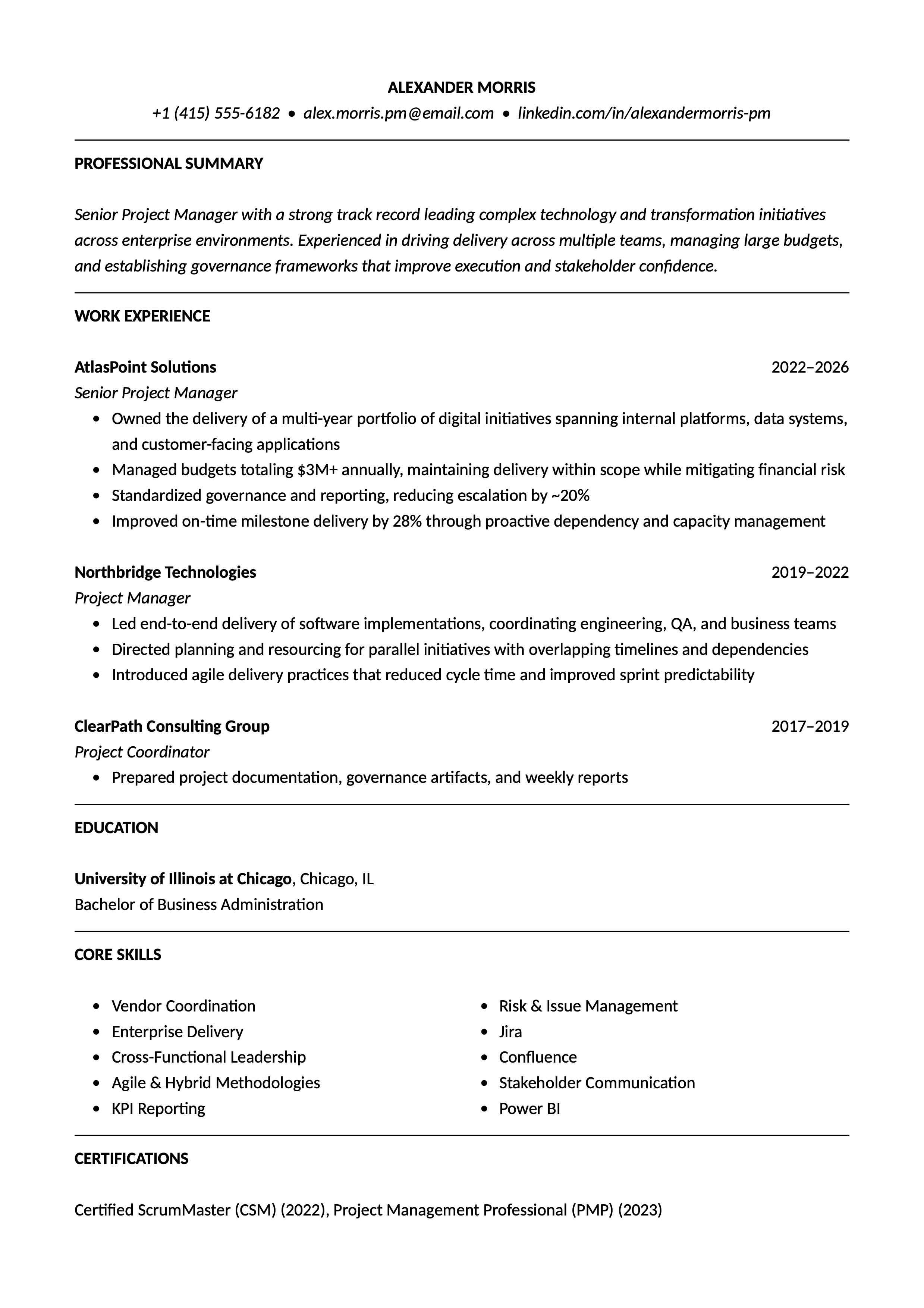
As you can see in the example image, Alexander's resume is formatted according to all best practices:
- It uses a single-column layout with standard sections listed from top to bottom: Professional Summary, Work Experience, Education, Core Skills, Certifications.
- Contact details are placed in the main document body as selectable text to ensure they are read properly by ATS.
- Skills are listed as normal text (Jira, Confluence, Power BI), and there are no graphic visualizations of levels, progressions, or logos.
To see more ATS-ready resumes, see our complete gallery of resume examples crafted for every role and industry.
How to Check Your Resume Before Applying
Before applying, make sure that you have an ATS-compliant resume by performing a quick check following these five steps:
Step 1: The copy-paste test
Copy and paste the content of your resume into a plain-text document. If it looks normal and as it should, the section order is preserved, and nothing is missing, it will be easily parsed by ATS.
Step 2: Verify your contact details are there
If your contact information is missing when you copy and paste it into a plain text editor, it's probably hidden in a header, footer, or sidebar and will likely be unavailable to ATS scanners as well.
Step 3: Check section headers
All the sections have standard names: Professional Summary, Work Experience, Education, Skills, Certifications.
Step 4: Employers, roles, and dates are listed together
The details of each work experience should be shown together when copied and pasted, rather than scattered throughout the document. Otherwise, the ATS can mix them up.
Step 5: Make sure you have the right file format
Always submit your resume in the file format requested by the employer. If it isn't specified, send a PDF file, as it always preserves the original layout and formatting.
For a deeper analysis, use Toptal Resume's ATS resume checker, which scans your resume against a job description and flags any gaps in both formatting and content.
ATS Resume Keywords Without Keyword Stuffing
ATS scanners look for keywords that represent a job's requirements, and the goal is to include the keywords naturally, as long as they truly correspond to your actual experience. So, it's not only about adjusting your resume format for ATS scanning, but also the content, and you should tailor your resume for each job application.
The resume example analyzed above matches a job posting that includes the following requirement: "Experience managing cross-functional projects using Agile methodologies and tools such as Jira."
What works: Alexander Morris's resume already contains: "Cross-functional Leadership," "Agile & Hybrid Methodologies," and "Jira" in the skills section, plus "coordinating engineering, QA, and business teams" in the experience bullets.
What wouldn't work: Repeating the job posting verbatim, without demonstrating specific results of your work, or stuffing the skills section by adding "Agile project management Jira cross-functional Agile Jira" as a keyword string. Modern ATS systems detect unnatural density, and human reviewers will see it immediately.
While keyword matching is an important aspect of an ATS-friendly resume, you don't have to use every single phrase word-for-word as it's written in the job description to achieve it. Alex's resume doesn't say "managing cross-functional projects," but his bullet points make it clear he does. Modern ATS systems understand context and synonyms, and it's important to be specific and show concrete achievements.
Final ATS-friendly Resume Checklist
Before submitting your resume, run through the quick checklist below, with 10 actionable items that cover all the main aspects of an ATS-compliant resume: format, content, readability, application instructions, and human review.
Layout and format:
- It uses a single-column layout or reading order verified with the copy-paste test
- All contact details are placed in the main document body as selectable text
- It has standard section headings, without unusual inventions
- There are no text boxes, tables, floating elements, or graphic skill ratings
- It's a text-based PDF file (or Word file if the posting requires it)
Content and readability:
- Skills are listed as normal, plain text, without icons or images
- Employers, role titles, and dates are consistent throughout (same format in every role)
- Role titles, employers, and dates appear together when the text is extracted (not scattered around)
- Experience bullets demonstrate real achievements
- File format matches the employer's instructions
Conclusion
An ATS-friendly resume format ensures every detail in your resume is read and organized correctly by an ATS system, and that nothing is lost or misplaced. If you need assistance creating a resume that is compatible with hiring software, Toptal Resume's AI resume builder includes a collection of ATS-friendly resume templates that will help your resume reach a human reviewer.
FAQ
ATS Resume Score Checker
for Professional Roles
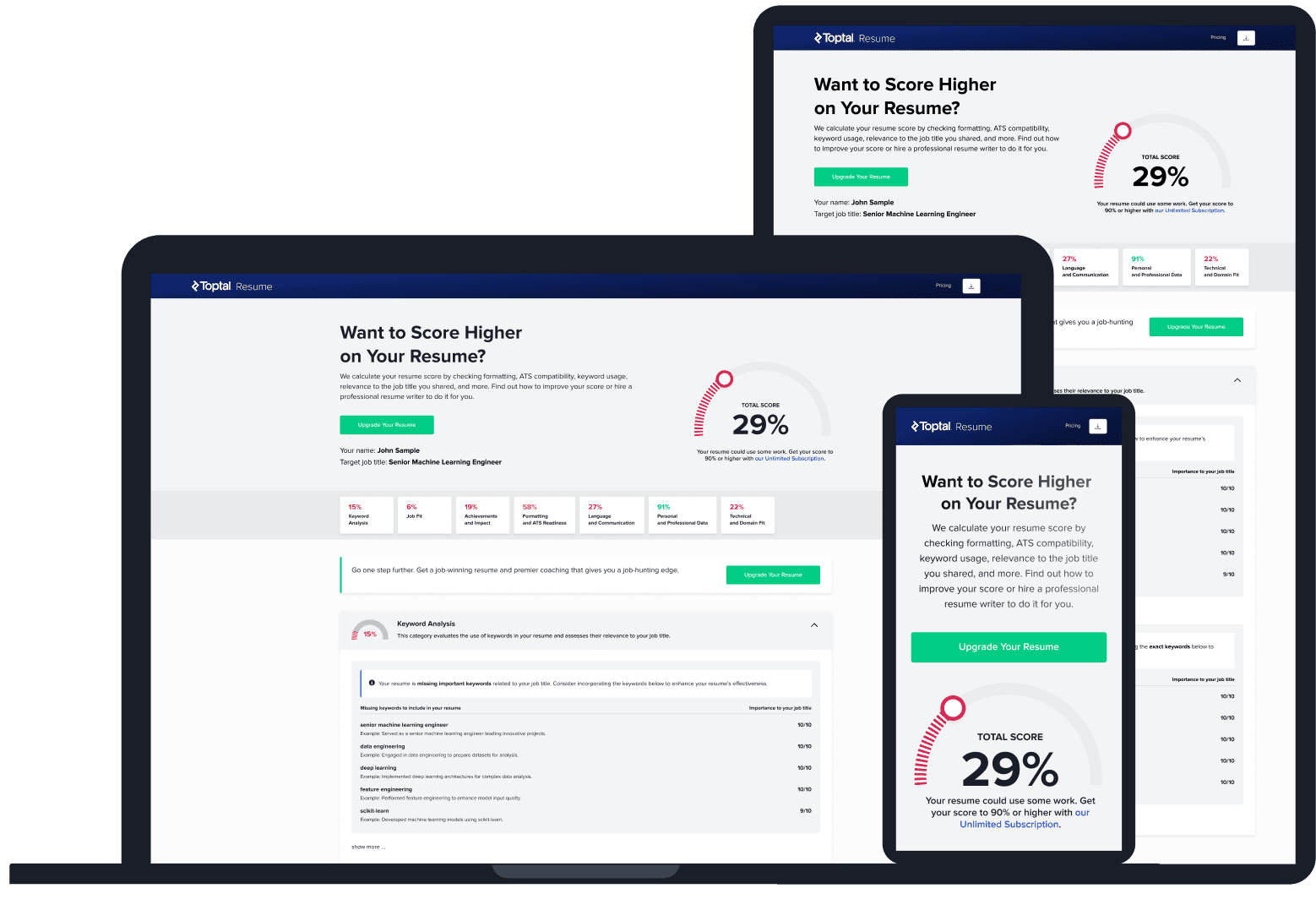
Upload your resume and tell us your target job title. Our system will analyze it the way a recruiter and ATS would—scoring it across core hiring dimensions and giving you personalized, role-specific feedback you can implement right away.
Read Next

Resume Tips
CV Formats Explained: Examples, Templates, and International Differences
CV format depends on where you’re applying and what type of role it is. Here’s how to identify the right document and adapt it for each context.

By Borislav Stojkov
Principal Resume Writer
Borislav Stojkov is a Principal Resume Writer at Toptal Resume. His professional track record includes personally reviewing and rewriting more than 2,000 resumes for professionals across industries. In his direct work with clients and the development of AI-based resume-writing services, he focuses on ATS-optimized structure, modern template design, and recruiter-aligned writing and formatting standards.
Resume Tips
Resume Examples: What Makes a Great Resume?
A resume example is most useful when you understand why specific choices were made. Here’s what three real-world examples reveal about strong resume writing.
By Borislav Stojkov
Principal Resume Writer
Borislav Stojkov is a Principal Resume Writer at Toptal Resume. His professional track record includes personally reviewing and rewriting more than 2,000 resumes for professionals across industries. In his direct work with clients and the development of AI-based resume-writing services, he focuses on ATS-optimized structure, modern template design, and recruiter-aligned writing and formatting standards.

Resume Tips
AI Resume Builder: How to Create a Better Resume With AI
AI can draft and improve every section of your resume, but the facts, accuracy checks, and final edits always need to come from you.
By Borislav Stojkov
Principal Resume Writer
Borislav Stojkov is a Principal Resume Writer at Toptal Resume. His professional track record includes personally reviewing and rewriting more than 2,000 resumes for professionals across industries. In his direct work with clients and the development of AI-based resume-writing services, he focuses on ATS-optimized structure, modern template design, and recruiter-aligned writing and formatting standards.