Hire Figma designers, on demand. Top companies and startups choose Figma designers from Toptal for collaborative UI design, component libraries, responsive layouts, interactive prototypes, scalable design systems, and more.
For the last 15 years, Alex has built, managed, and led a design agency that provides branding, marketing, and web development services. He grew it from a small startup to one of the best design firms in the city in less than three years. During that time, Alex has provided branding, app design, and UI/UX solutions for clients in various industries, including Fox Sports, Credit Karma, Goodwill, the USDA, and the US Air Force.
Guilherme is a seasoned UI/UX product designer with over 15 years of experience. He has a proven track record designing products for millions of users at Booking.com and helping SaaS startups achieve success through user-centered design and data-informed solutions. Specializing in web and mobile design, design systems, conversational AI interfaces, and rapid prototyping with AI tools, his work has been used by major brands including GSK, Unilever, Danone, Nestlé, and BRF.
Kalpesh is a product designer with 7+ years of experience crafting high-impact digital experiences across web and mobile. He specializes in simplifying complex systems, driving measurable growth, and building scalable design systems. His work blends sharp UX thinking with strong visual execution, helping teams ship faster and convert better. Experience includes high-stakes projects, including work with Adobe.
With almost two decades of product design experience working with clients from within media, telecom, and online retail, Bill has designed a wide range of product types, such as eCommerce sites and streaming media apps for mobile and connected devices. He's led his teams' UI/UX efforts, taking his products from conception to production. Bill has also worked extensively with remote product teams using both Waterfall and Agile methodologies.
Erin has over 15 years of experience in leading product design and agile product management. She's worked with over 100 product teams, ranging from startups to Fortune 500s, to create and iterate on innovative products. Erin is passionate about solving complex B2B problems and enjoys working on AI/ML and IoT products. She's worked with companies like Intel, adidas, Astec Industries, Better.com, McGraw-Hill, and The Hartford.
Hendry is a passionate UI/UX designer with over a decade of experience assisting companies in creating superior products. He has collaborated with various companies across different industries, from design agencies and local startups to large corporations. Experienced in designing for multiple platforms, including Android, iOS, and responsive websites/web apps, he employs an end-to-end design approach that addresses user and business challenges.
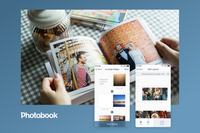
Adelyn is a senior product designer with over eight years of experience in UI/UX and full-cycle product design. With the experience of co-founding her startup, her designs seek to balance business goals with user needs. For the past few years, she has been helping businesses like Novo Nordisk and Photobook successfully design and launch mobile apps and websites. Adelyn is passionate about helping companies to positively impact society through her designs.
Paresh is a design leader with over 15+ years of experience helping startups and fast-growing teams build and scale products from zero to one—and beyond. He specializes in turning complex ideas into intuitive, beautiful, and high-performing user experiences. Over the years, Paresh has been the founding designer for 30+ startups, working directly with CEOs, product leaders, and engineers to craft everything from MVPs to design systems.
Gabriel is an accomplished, self-taught product designer with 15 years of experience delivering user-centered, visually sophisticated designs. His career spans agency, freelance, and in-house roles at a global B2B and B2C company, where he has driven exceptional user experiences for diverse business clients. Gabriel’s expertise lies in crafting intuitive interfaces that align with strategic objectives, collaborating seamlessly with cross-functional teams to elevate product outcomes.
James is a senior product and brand designer with 15+ years of global experience across tech, fashion, food, hospitality, and automotive. He blends UX, UI, and design systems expertise with strategic thinking and hands-on execution. Skilled in Figma and Framer, James helps teams launch products, scale design systems, and create user-centered digital experiences.
David is a user-centered product designer with over ten years of experience. His areas of expertise include user experience design, product design strategy, and design systems. He has experience working in the fintech industry. David co-led Scotiabank's transition to Figma for their design system and was instrumental in the design of a state-of-the-art library that places a strong emphasis on accessibility and usability. He has previously held roles such as UX lead and senior product designer.
Figma designers are proficient in the Figma design tool and leverage this skill to create user interfaces and user experiences for websites and mobile applications. This guide to hiring Figma designers features an overview of relevant skills, job description tips, and interview questions and answers that will help you identify the best candidates for your company.
... allows corporations to quickly assemble teams that have the right skills for specific projects.
Despite accelerating demand for coders, Toptal prides itself on almost Ivy League-level vetting.
Our clients
Creating an app for the game
Leading a digital transformation
Building a cross-platform app to be used worldwide
Drilling into real-time data creates an industry game changer
Testimonials
Michael is an incredible designer, and has been a great fit for our project. He just gets it in a way that can’t be taught. My goal was to pay Toptal to find me a high quality designer for my project, and that is exactly what happened. It was easy. Being able to see the portfolio work on Toptal’s platform is what gave me the infomation I needed to choose Michael. I have nothing but good things to say about Toptal and am looking forward to using Toptal for other projects in the future.
Edward Daniel
Co-Founder
I've worked very closely with Martina for over a year and have to say she is one of the best people I have ever worked with. Instead of simply following instructions blindly, she thinks through the task at hand, becoming a thought partner to help with whatever the project may be. Besides being super talented at design, she possesses specific qualities that make her exceptional to work with given the fast paced nature of being a startup. I would definitely recommend her to anyone looking for a talented, professional designer who doesn't need much direction to hit the ground running.
Sahil Khanna
Sr. Manager, Marketing
Darko did a great job figuring out the user architecture for our concept, which led him to produce terrific wireframes. His knowledge of usability and design was a perfect match for the outside voice we needed to help jumpstart our project. We would certainly recommend him and work with him again in the future.
Rich Danker
Founder
Carlos has the unique talent of blending both quantitative and qualitative research to keenly identify UX challenges and opportunities. He thinks methodically, emphatically, and holistically to produce data-driven strategies and well-executed designs. Over the past 8 years of working with fully or partially distributed teams, Carlos manages working remotely far better than anyone I've encountered because of his strong communication and presentation skills. He is the first on my list the next time I need a UX designer.
Michelle Krogmeier
Project Manager
Rafael is an amazing designer. His aesthetic sense is spot on, and he seems to be able to anticipate our needs before we even know what they are. He's taken the time to understand both our company and our clientele, and his solutions are consistently in-line with our values, interests, and our customers' needs. He delivers on time (if not earlier), works quickly, is well organized, and very effective. He's a pleasure to work with, and we're very happy to have found him through Toptal.
Ethan Brooks
CTO
How to Hire Figma Designers Through Toptal
1
Talk to One of Our Client Advisors
A Toptal client advisor will work with you to understand your goals, technical needs, and team dynamics.
2
Work With Hand-selected Talent
Within days, we’ll introduce you to the right Figma designer for your project. Average time to match is under 24 hours.
3
The Right Fit, Guaranteed
Work with your new Figma designer for a trial period (pay only if satisfied), ensuring they’re the right fit before starting the engagement.
EXCEPTIONAL TALENT
How We Source the Top 3% of Figma Designers
Our name “Toptal” comes from Top Talent—meaning we constantly strive to find and work with the best from around the world. Our rigorous screening process identifies experts in their domains who have passion and drive.
Of the thousands of applications Toptal sees each month, typically fewer than 3% are accepted.
The first step of the screening process is a comprehensive English language and communication evaluation. We also assess personality traits, seeking only those who are passionate and fully engaged in their work.
STEP 2
In-depth Skill Review
7.4% of applications pass
We test each applicant’s technical knowledge and problem-solving ability through various assessments. Every member of the Toptal network is an expert in their domain, and we typically only advance candidates with exceptional results in this phase.
STEP 3
Live Screening
3.6% of applications pass
Toptal screeners, who are experts in their functional domain, interview each Figma designer. Our screeners provide specific live exercises, looking for problem-solving ability, depth of experience, communication ability, and creativity.
STEP 4
Test Project
3.2% of applications pass
Each candidate is assigned a test project to evaluate whether they can “walk the walk.” Test projects take 1-3 weeks and are comprehensive and provide real-world scenarios for candidates to demonstrate their competence, thoroughness, professionalism, and integrity.
STEP 5
Continued Excellence
Top 3.0% of Figma designers
As a quality-first company, we demand the best from our talent, so they can deliver the best to our clients. This principle permeates every Toptal engagement and delivered project. Only the top 3% of Designers can consistently perform at this level.
Toptal Figma Designers Case Studies
Discover how our Figma designers help the world’s top companies drive innovation at scale.
CASE STUDY
Figma Transforms Global Insurer’s Legacy Workflow
CASE STUDY
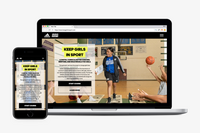
UX Overhaul Boosts Youth Engagement
CASE STUDY
Figma-powered UI Overhaul for Audio Platform
Toptal Figma designer powers scalable redesign for global reinsurer.
Challenge: One of the world’s largest reinsurers set out to redesign its site and shift to a more client-centric, cloud-based environment. As an insurance company, the client needed to ensure fast, reliable access for customers, but frequent site crashes caused by third-party plug-ins hindered performance. Additionally, collaboration was difficult due to an Apple-native design environment that limited flexibility.
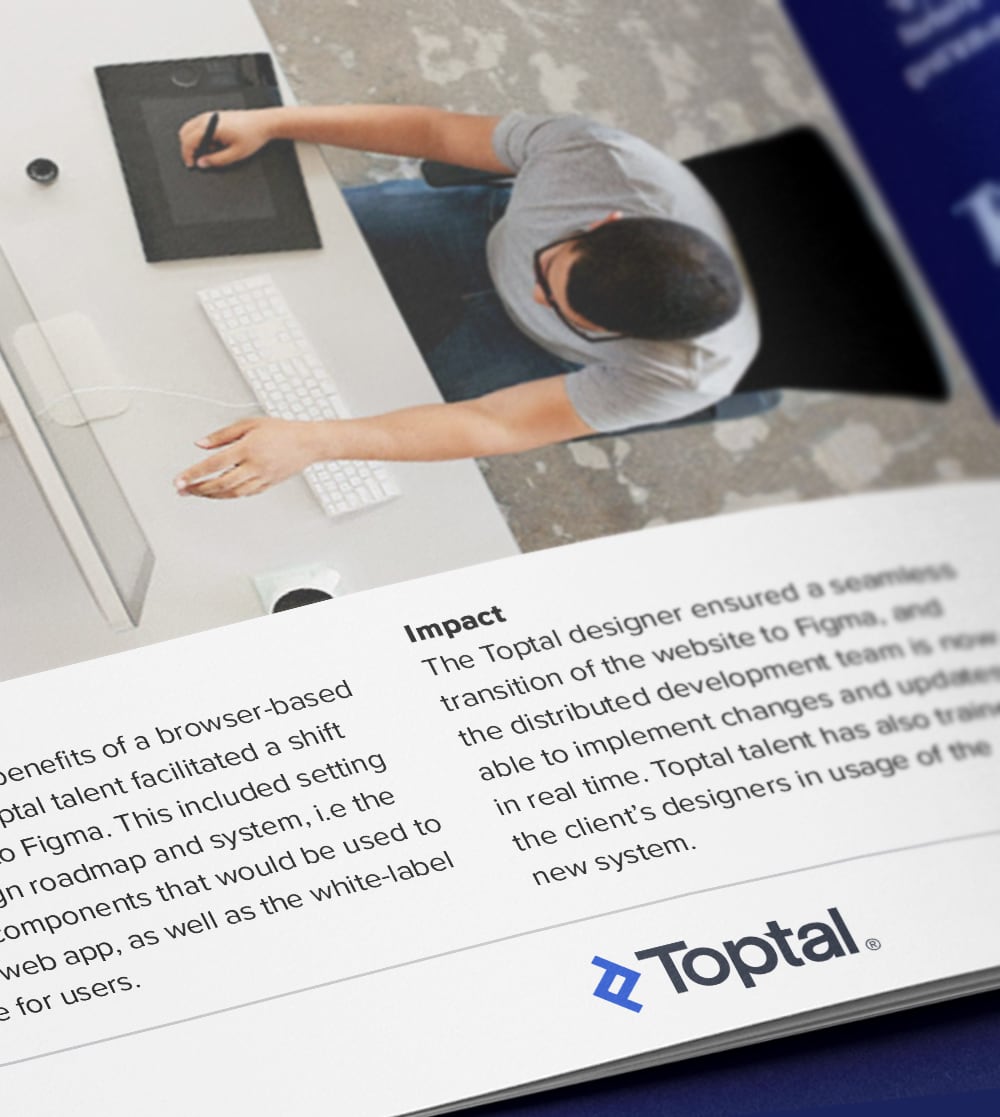
Solution: To unlock the benefits of a browser-based design tool, a Toptal Figma designer led the transition from Sketch to Figma. This included establishing a scalable design roadmap and system, defining reusable rules and components for web app development, and creating a white-label interface for end users.
Outcome: The Toptal Figma designer enabled a seamless migration to Figma, allowing the distributed development team to implement real-time changes and updates. Toptal also provided training to the client’s in-house designers, empowering them to maintain and scale the new system independently.
RELATED CAPABILITIES
Figma
Toptal revamps digital app provider’s platform to boost engagement among younger users.
Challenge: A leading digital applications provider needed a complete UX overhaul to refresh its visual identity and functionality. It aimed to deliver a more compelling experience for a new generation of users, so it partnered with Toptal to modernize its platform and increase engagement among younger audiences.
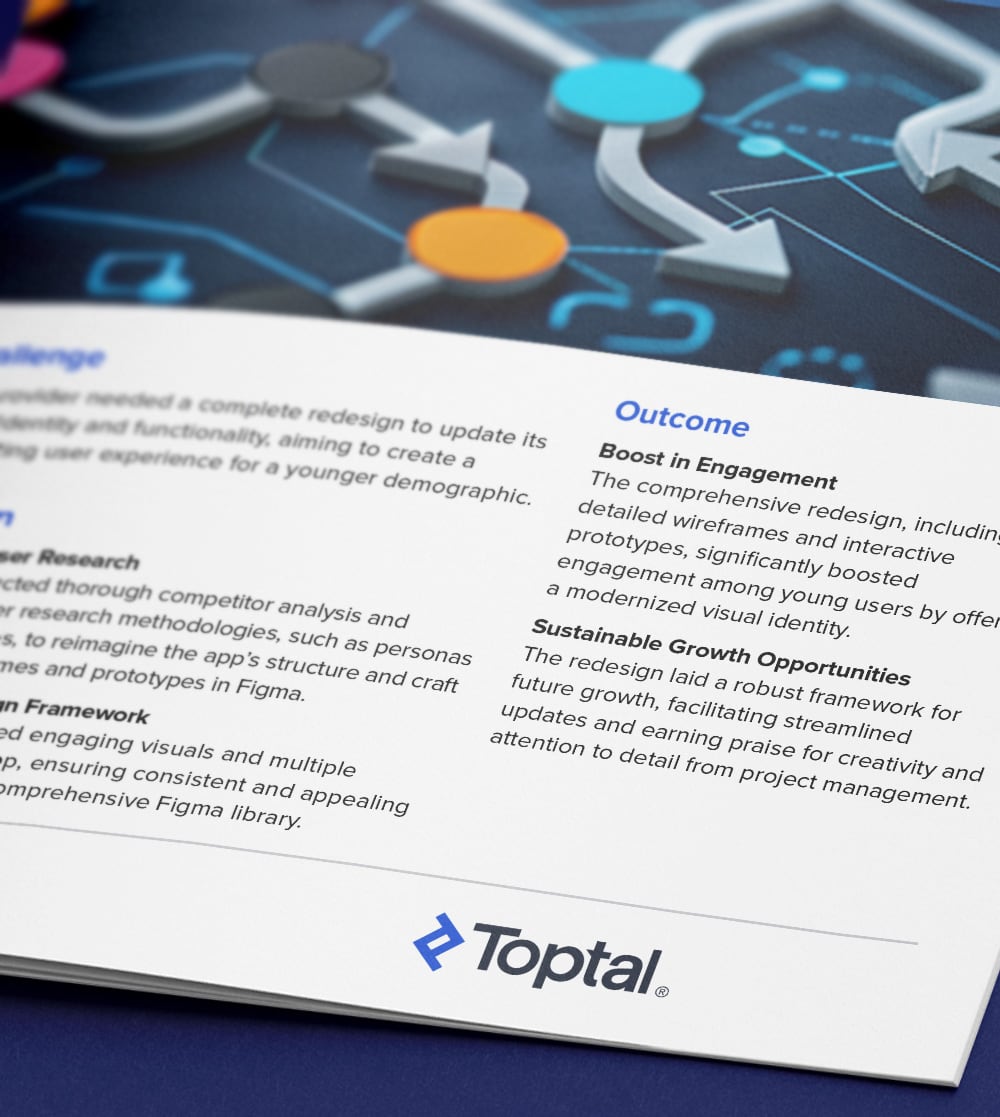
Solution: Toptal’s UX researchers conducted in-depth competitor analysis and applied user research techniques—including persona development and user story mapping—to inform a data-driven redesign. Figma designers produced intuitive wireframes and interactive prototypes. They also introduced engaging visuals, dynamic theming, and a cohesive design system through a scalable Figma library.
Outcome: The strategic redesign led by Toptal’s UX researchers and Figma designers significantly increased engagement among younger users by delivering a fresh, user-centered experience. The new framework enabled easier updates and received high praise from stakeholders for its creativity, usability, and forward-looking design.
RELATED CAPABILITIES
UX Research
Figma
Project Management Consulting
Prototype Design
Toptal Figma designer revamps UI for startup audiophile platform.
Challenge: A music technology innovator needed a Figma designer with UI expertise to turn their concept for a music platform into a user-friendly interface that would attract audiophiles to rate and review music based on sound quality.
Solution: Toptal’s Figma designer created high-fidelity interactive prototypes, ensuring each screen was both visually appealing and highly functional. The UX was enhanced through visual themes inspired by professional sound equipment interfaces, making the platform more engaging.
Outcome: Toptal successfully translated the innovator’s vision into a functional platform with high-fidelity prototypes that delighted users. The themes inspired by professional sound equipment elevated user engagement, making the platform more accessible and appealing to audiophiles.
RELATED CAPABILITIES
Figma
UI Design
UX Design
Capabilities of Figma Designers
Toptal’s Figma designers take a collaborative, detail-driven approach to building user-centered interfaces for web and mobile apps. They excel in applying UX/UI principles, responsive layout techniques, and accessibility standards to every design. Our designers leverage Figma’s powerful design systems, prototyping tools, and collaboration features to iterate and work with developers and product teams while ensuring polished, functional results.
User Interface (UI) Design
UI design supports business goals by helping users achieve specific tasks online. Our designers create intuitive UIs with consistent visual hierarchy, well-structured grids, and reusable elements like buttons, form fields, and navigation components.
Wireframes and Low-fidelity Mockups
Wireframes help validate site structure and navigation before committing to visual design. Our designers use Figma’s basic shapes and layout tools to map out user flows, content hierarchy, and page structure with a focus on functionality over polish.
Interactive Prototypes
Prototypes bring design concepts to life for stakeholders and users. Our design specialists simulate real interactions while testing usability and navigation by using Figma’s prototyping tools to define click targets, transitions, and flows.
Design Systems and Style Guides
Design systems support consistency and speed across digital projects. Toptal designers build scalable systems using shared components, typography styles, spacing rules, and color tokens—all organized in Figma libraries for easy reuse across teams.
Cross-functional Collaboration
Effective communication bridges the gap between business stakeholders, designers, and implementation. Our Figma pros use live file sharing, inline commenting, and design presentations to explain rationale, collect input, and align teams throughout the product lifecycle.
Responsive Layouts
Responsive UIs ensure usability across devices and screen sizes. Toptal designers use Figma’s auto-layout, constraints, and breakpoints to create adaptive designs that scale from mobile to desktop.
Handoff to Developers
Thoughtful design handoffs reduce development friction and the need for rework. Our Figma experts prepare inspect-ready files with spacing, sizing, and styling specs. They also provide exportable assets and documentation to support accurate implementation.
Design Variants and Components
Variants streamline design efficiency and scalability. Our designers create multi-state components (like button hover/focus/disabled) and use Figma’s variants and component properties to reduce duplication and improve consistency.
Design Reviews and Iteration
Feedback loops ensure design alignment and continuous improvement. Our Figma specialists lead collaborative reviews, conduct quick usability tests, and make refinements based on insights from product teams, developers, and client stakeholders.
File Organization and Maintenance
Well-structured files make collaboration easier and faster. Toptal’s Figma pros follow consistent naming conventions, group components by function, and use version control and pages to keep projects tidy and scalable.
FAQs
The cost associated with hiring a Figma designer depends on various factors, including preferred talent location, complexity and size of the project you’re hiring for, seniority, engagement commitment (hourly, part-time, or full-time), and more. In the US, for example, Glassdoor’s reported average total annual pay for Figma designers is $80,990 as of January 2024. With Toptal, you can speak with an expert talent matcher who will help you understand the cost of talent with the right skills and seniority level for your needs. To get started, schedule a call with us — it’s free, and there’s no obligation to hire with Toptal.
Typically, you can hire Figma designers with Toptal in about 48 hours. For larger teams of talent or full end-to-end project delivery, timelines may vary. Our talent matchers are highly skilled in the same fields they’re matching in—they’re not recruiters or HR reps. They’ll work with you to understand your goals, technical needs, and team dynamics, and match you with ideal candidates from our vetted global talent network.
Once you select your Figma designer, you’ll have a no-risk trial period to ensure they’re the perfect fit. Our matching process has a 98% trial-to-hire rate, so you can rest assured that you’re getting the best fit every time.
As Figma is an all-in-one design tool, the design process for Figma designers involves using the tool at every stage of web and app design. Figma can be used for both the UI and UX phases of design.
Important qualities include tool proficiency; mastery of design fundamentals; focus on users and user-centered design; collaborative and communication skills; Figma certification from a reputable source like FigmaAcademy.com; and a strong portfolio.
To hire the right Figma designer, it’s important to evaluate a candidate’s experience, technical skills, and communication skills. You’ll also want to consider the fit with your particular industry, company, and project. Toptal’s rigorous screening process ensures that every member of our network has excellent experience and skills, and our team will match you with the perfect Figma designers for your project.
At Toptal, we thoroughly screen our Figma designers to ensure we only match you with the highest caliber of talent. Of the more than 200,000 people who apply to join the Toptal network each year, fewer than 3% make the cut.
In addition to screening for industry-leading expertise, we also assess candidates’ language and interpersonal skills to ensure that you have a smooth working relationship.
When you hire Figma designers with Toptal, you’ll always work with world-class, custom-matched Figma designers ready to help you achieve your goals.
You can hire Figma designers on an hourly, part-time, or full-time basis. Toptal can also manage the project end-to-end based on your specific requirements as part of our Consulting and Services offerings. Whether you hire a Figma designer for a full- or part-time position, you’ll have the control and flexibility to scale your team up or down as your needs evolve. Our Figma designers can fully integrate into your existing team for a seamless working experience.
We make sure that each engagement between you and your Figma designer begins with a trial period of up to two weeks. This means that you have time to confirm the engagement will be successful. If you’re completely satisfied with the results, we’ll bill you for the time and continue the engagement for as long as you’d like. If you’re not completely satisfied, you won’t be billed. From there, we can either part ways, or we can provide you with another Figma designer who may be a better fit and with whom we will begin a second, no-risk trial.
Explore Related Toptal Services
Looking for an end-to-end business solution? Browse Toptal's portfolio of services.
Atishay is a product designer who has worked in close collaboration with McKinsey & Company and Boston Consulting Group on B2B and B2C products. He has several years of experience working with Figma to create engaging, functional, and easy-to-use products.
The Demand for Figma Designers Continues to Expand
As digital products become increasingly central to business success, companies are racing to create seamless and visually compelling user experiences. According to Forbes, a new website is launched every three seconds, and Sensor Tower reveals that in 2025, 136 billion mobile apps were downloaded—a staggering reflection of our increasing reliance on digital interfaces. In this landscape, Figma designers play a critical role in shaping user experiences that stand out and convert.
As an industry-leading design tool, Figma is now used by over 95% of Fortune 500 companies. Its real-time collaboration features and support for scalable design systems have made it indispensable for both startups and enterprise teams. According to the US Bureau of Labor Statistics, web and digital interface design roles are expected to grow by 7% through 2034, double the national average. As a result, competition for skilled Figma designers will continue to intensify.
Before you begin the hiring process, it’s crucial to understand the role of a Figma designer. Figma designers are responsible for creating and maintaining user interfaces (UI) and user experiences (UX) for websites and mobile applications. They use Figma to create wireframes, prototypes, and final design assets. Common deliverables may include e-commerce landing page designs, responsive web components, or a fully built Figma project handed off to developers.
It can be a challenge to find and hire a skilled Figma designer. This guide describes the key qualities employers should prioritize when hiring freelance and remote Figma designers to create, update, and maintain websites and apps.
What Attributes Distinguish Quality Figma Designers From Others?
Top Figma designers possess many of the same design skills as web designers, but just as Figma has its special strengths in graphic design, wireframing and prototyping, design systems, and collaborative design, freelance Figma designers should possess corresponding expertise. Look for these qualities:
Proficiency With Figma: Figma has a steep learning curve. Designers with no experience with Figma may require considerable time to ramp up before achieving mastery of this complex tool. Tool mastery can be demonstrated partly through a designer’s portfolio of past projects. Demonstrating an understanding of Figma concepts like Auto Layout, Constraints, and Variables also helps convey proficiency. Experience integrating Figma assets into web development workflows using tools like HTML, CSS, WordPress, or no-code platforms like Webflow can also be a valuable bonus, especially for projects where designers are expected to implement or prototype their work beyond the design phase.
Design Fundamentals: All designers should pay attention to design fundamentals. A complex multifarious tool like Figma can be used in myriad ways, so it’s important for Figma designers to have a sound underpinning in training and education. Understanding design principles like design thinking, accessibility, responsiveness, usability, and consistency can help establish a designer’s credentials. If these are backed by certifications, even better.
Consideration of the User Experience: User experience and customer experience are at the heart of modern design. When UI designers and UX researchers are hired for projects, UI designers will focus on users first. Don Norman of Nielsen Norman Group says to always focus on your end user, the person for whom your design is intended. While a Figma designer focuses primarily on visual aesthetics and user interface design, it is important that they do not lose focus on the user experience. Strong UX/UI designers are adept at conducting user research so websites and apps are user-friendly and optimized for conversion.
Collaborative Focus: Because Figma has such a strong reputation for supporting design team collaboration, it’s likely that Figma designers will be asked to collaborate, possibly from remote global locations. While interviews are ideal for identifying suitable candidates with strong communication skills, the ability to collaborate as a good teammate goes beyond mere conversational fluency.
Technical Strengths: Like all tools, Figma has its strengths and weaknesses. It’s prudent to hire Figma designers whose skills match the best qualities of the tool. These strengths include an understanding of design principles and design components, the ability to create design systems, mastery of instancing and prototyping, and expertise with vector-based design. Familiarity with plugins that enhance Figma workflows—such as animation support, API integration, or Illustrator and Photoshop interoperability—can further elevate the quality of a candidate’s illustration work.
How Can You Identify the Ideal Figma Designer for You?
Identifying the right Figma designer for your project involves understanding the role, evaluating candidates based on specific criteria, and ensuring effective communication throughout the hiring process. Here are some additional considerations:
Selecting the Right Seniority Level for the Job
Candidates with top talent and superior skill levels are always desirable. Those are typically senior designers. Unfortunately, ultra-skilled and talented designers are in high demand and come at a high cost. Depending on your budget and other considerations like team size and talent availability, you may prefer to choose a balance of different levels of experience.
The most common definition of “junior” designer status is having three years or less of experience in the role. Seniority can also be tracked through compensation, though this varies with geographic location. Naturally, senior Figma designers will tend to have above-median hourly rates.
Designers with less experience can still do a great job, especially with guidance, but mid-level and senior candidates are better able to handle unforeseen problems and challenges and are better suited for leadership roles. However, if they haven’t spent several years working with Figma, their skills may not be as sharp as a junior designer who has used Figma exclusively.
When evaluating candidates, be sure to factor in pricing differences between freelancers and full-time hires. Each model comes with trade-offs in flexibility, availability, and cost, so it’s important to align your hiring approach with your project’s requirements.
Defining Talent Requirements
If you’re looking for a web or app designer with specific experience in Figma, focus on the qualities described above. Additionally, The Brookings Institution’s advice on understanding your organization’s skills gap can also help ensure you are hiring appropriately skilled workers. You can perform this kind of analysis for your entire company or for a single project team, but either way, it will help you hire just the staff you need.
Highlighting the Importance of the Design Brief
When you are comfortable with your project requirements, write a design brief. Sample design briefs are available from Asana and Nuclino, among other sources. Share your design brief to prospective candidates and any talent agencies acting on your behalf.
How valuable are Figma Academy certifications in assessing a Figma designer’s knowledge?
Figma Academy certifications can help when assessing a Figma designer’s knowledge. Evidence of completed courses shows a solid foundation in Figma tools, UI/UX principles, and their alignment with the role’s requirements and other factors that may be more important. While there are many training courses and certifications for Figma, Ridd’s Figma Academy (FigmaAcademy.com) is generally thought to be the most advanced and the most demanding.
Is it important to hire a Figma designer that matches the hiring manager’s business aesthetic?
Everyone has their own aesthetic and their own design style. Of course, you want to hire a designer with innovative ideas. But it’s important for designers to be able to adapt their work to the company’s and the project’s needs and bring the vision to life.
How to Write a Figma Design Job Description for Your Project
Once you’ve created the design brief, you can merge your unique requirements into existing templates for Figma designer roles. The leading job boards and talent agencies provide templates for job posts for designers, but if you’re writing one from scratch, address the following topics:
Figma Mastery and Certification: If Figma is the necessary tool for your project, Figma proficiency should be a firm requirement in the job posting. The number of years of experience will depend on whether you are looking for a junior, mid-level or senior Figma designer. However, Figma was released in 2016, so be sure to request a realistic amount of experience.
Web vs. App Design: Most digital design projects result in designs for websites, mobile apps, or both platforms. Some designers don’t have experience with both types of design or perhaps only specialize in iPhone or Android phones, so lay out your platform requirements clearly. Websites and apps have to work on an enormous variety of devices and screens, so look for freelance designers with experience in responsive design or adaptive design, keywords associated with design for variable device formats.
Visual vs. Interactive Design: Again, most projects are both visual and interactive, but not all designers are experts in both categories. Specify which of these types of work will be emphasized or require both from the designer, depending on your requirements.
Collaborative Design Experience: Figma provides excellent support for collaborative design. If your project will be a team effort, your job description should emphasize this designer skill set. You should also state whether other designers will be leading or collaborating on the project.
Conventional Job Description Elements: Of course, you also need to specify junior versus senior; team lead versus contributor versus sole designer; remote versus on-site; full-time versus part-time; duration and schedule; and the other expected elements of any job posting.
What Are the Most Important Figma Designer Interview Questions?
Resumes and portfolios help you filter candidates, but the interview process is an essential next step. Some questions for freelance Figma design candidates include:
How many years of practical experience do you have with Figma?
There’s a difference between someone who has used Figma for three years on every project and a designer who learned the basics of Figma three years ago but never used it professionally. The interview should do a deep dive into past project experience.
How do you employ a user focus in design?
As mentioned, Figma designers must also consider the user, so it’s worthwhile to ask this question in an interview. Candidates should understand user-centered design principles and be aware of current design trends. For example, in 2023, companies sought empathetic, inclusive, and ethically responsible designs, and designers who could create digital experiences that are intuitive, personalized, and aligned with user well-being.
Do you understand the business goals for this project?
Your design brief and job posting should make it clear what you expect from the Figma designer candidate. If they don’t understand your business needs, they won’t be able to fulfill them.
How do you ensure your designs are usable?
Usability is widely acknowledged as one of the two most important design goals (the other is usefulness/utility), but a good designer should be able to describe the practical steps they take toward achieving high usability and high-quality designs.
What are the advantages of using a design system?
Design systems are collections of reusable components. Their utilization is important in creating efficient and effective designs that streamline development and design decisions, encourage standardization across projects, reduce maintenance costs, and conform to brand and product style guides. A designer should be able to explain these advantages.
Why Do Companies Hire Figma Designers?
Finding top Figma designers can be challenging, especially if your organization doesn’t have many of these designers on staff or if you are not personally experienced with this kind of hiring.
Candidates need to demonstrate their mastery of the tool, but they also should be able to focus on users first. They need to understand your business goals to satisfy your project requirements. In addition to creative problem-solving abilities, Figma designers need to have strong communication and collaboration skills.
As the manager responsible for hiring freelance Figma designers, you should develop a concise design brief that conveys the nature and outline of the project. Your hiring needs should be presented clearly to prospective candidates to forestall applicants who don’t meet your requirements. Résumé screening will help you dismiss candidates who are unsuitable, but the interview stage is key for verifying candidate skills and also eliciting important qualities that are hard to identify in portfolios.