
Future UI Design Without Buttons
Why do we still use buttons in our user interfaces? Technology has come so far and offers so many possibilities, there is no longer any reason to force our users to click the tiny rectangles we call “buttons.”

Why do we still use buttons in our user interfaces? Technology has come so far and offers so many possibilities, there is no longer any reason to force our users to click the tiny rectangles we call “buttons.”

Wojciech is a product designer and web designer with eight years of experience. He’s passionate about typography and sound design.
Previously At

What Are Buttons and Do We Really Need Them?
Since the dawn of graphical user interfaces, we’ve been using buttons. Consider that Xerox PARC’s original GUI is now over 50 years old, yet our user interfaces still look remarkably like it. I recently traced the history of button styles by creating the Dribbble Timeline. Though buttons evolved in sync with current trends and alongside technology, their origin is undoubtedly inspired by real objects of the past.

For years now, we have been creating devices without a physical interface—that don’t depend on human touch but can be activated by voice or gesture. Why do we persist in creating shapes with which to interact that are based on the familiar objects that surround us? The shape of a digital button is still modeled on tools and mechanisms we developed in the 19th century!
We have created completely new, smart electronic devices—we can handle them in almost any way we choose, but out of laziness or force of habit, we continue to force our users to click on a tricky little area just a few pixels wide.
It’s time to do something about it—it’s time to think button-less.
“Button-less” UI – Where Everything Interacts
A “button-less utopia” is a concept where any attempt to preserve a century-old way of doing things is completely shattered. The future is now—we must move on and divest ourselves of our predecessors’ outmoded solutions.
Is it possible for us to imagine an interface completely free of buttons? Something so intuitive, that just by looking at it, you will know how to act? It no longer needs to be only in our imaginations—these interfaces already exist.
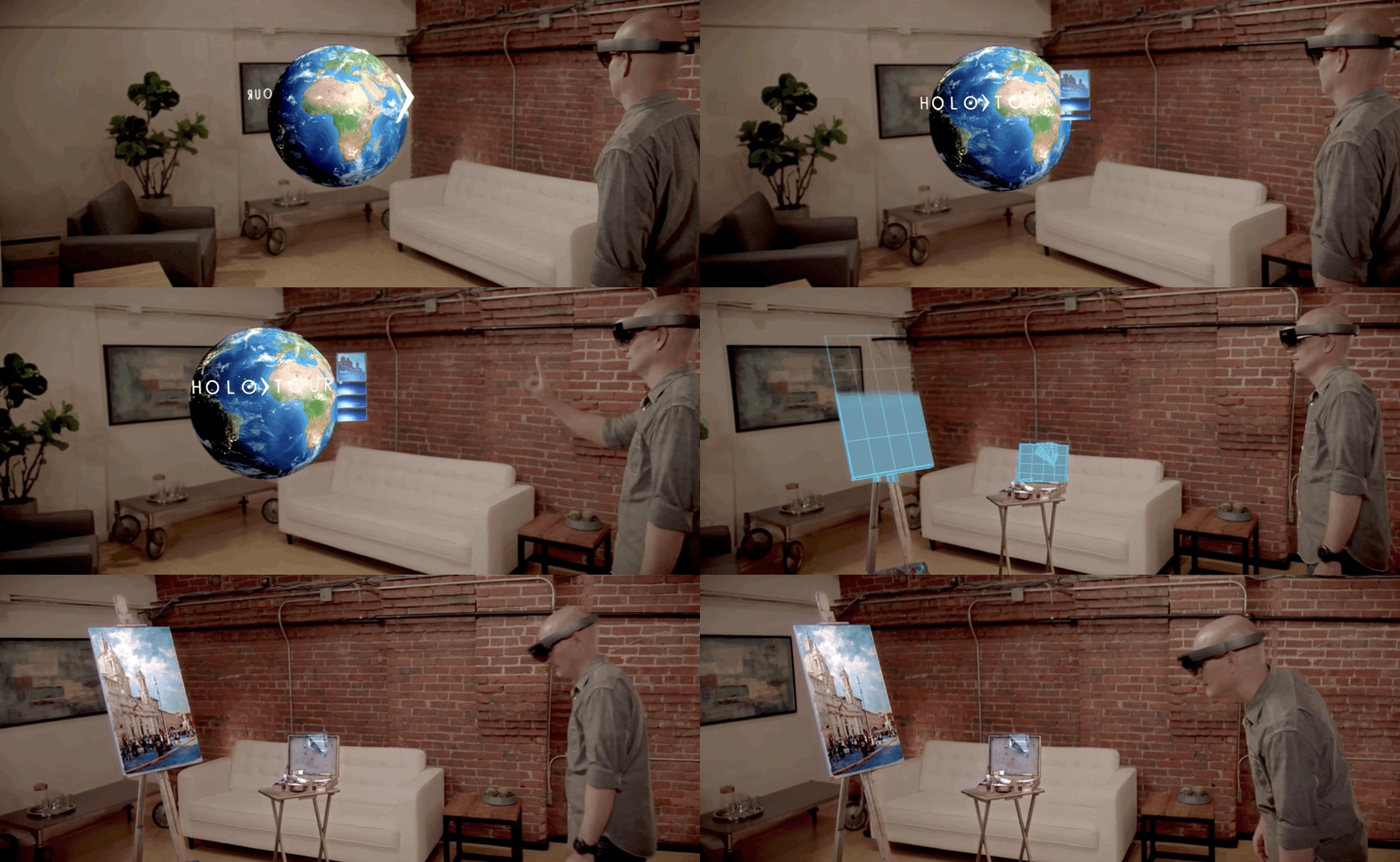
Can we, once and for all, eliminate the venerated button? Microphones, cameras, touch screens, vibration, accelerometers, gyros, GPS, extended reality, virtual reality—the list goes on—and all this handled from your smartphone or PC. There is no longer any reason to continue forcing your users to press that one tiny rectangle.
Let’s Eliminate Buttons in UIs
Have you read Type Design where interfaces are devoid of any graphic element, and where the only thing that matters is content? Many of you asked: “What about buttons?” We don’t need them any longer—let’s eliminate them completely.
Here are a couple of interesting ideas:
Facebook lets you answer, “What’s your mood?” No need to press a button to answer—use your voice—just tell it you feel great and head for the beach. Then drag the text that Facebook recognizes from your response to where you want it to appear.
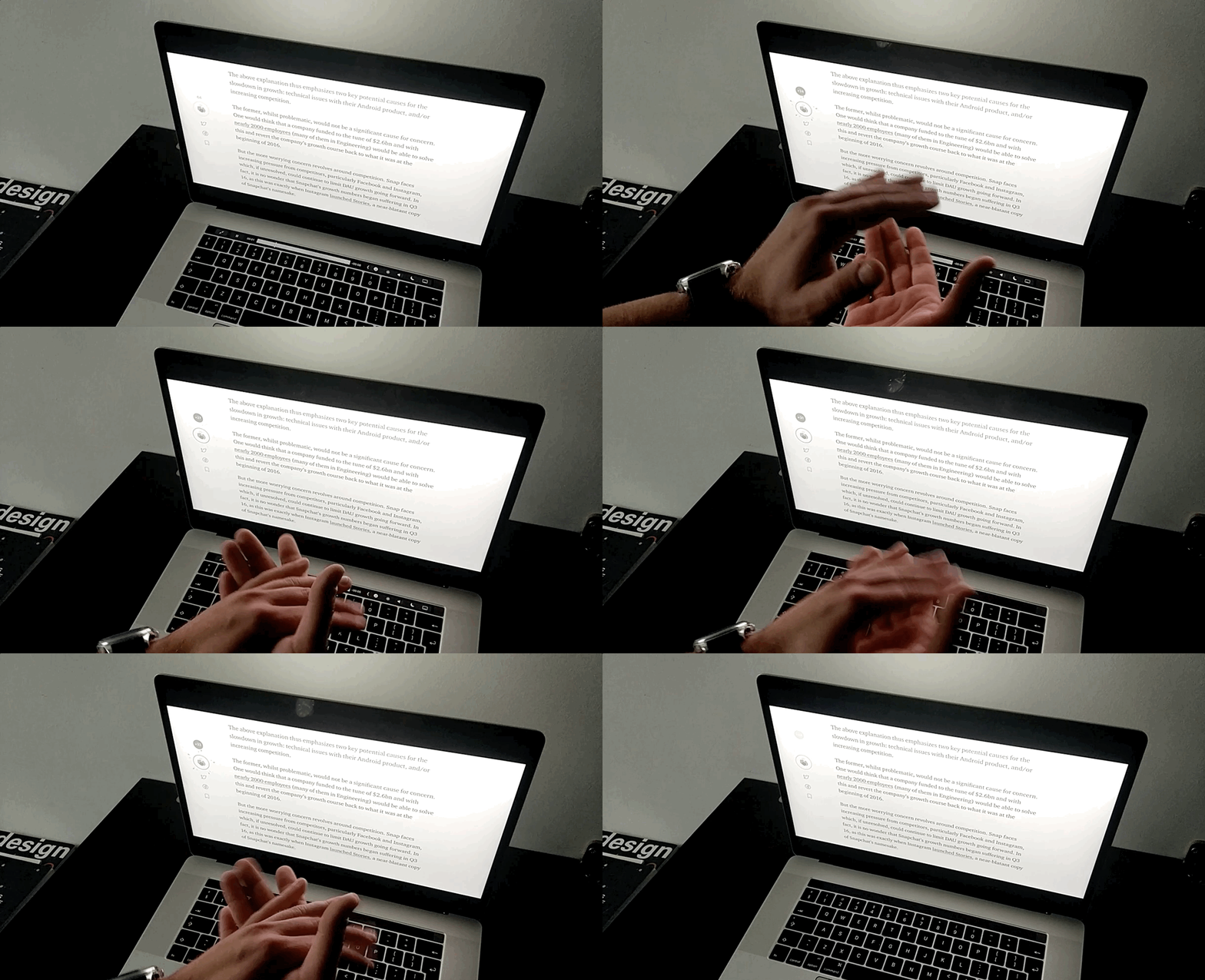
Like an article on Medium? A while back on Medium, you could simply “recommend” an article. Today we click “claps.” So “clap.” What if there was no need to click this odd little button, just literally clap?
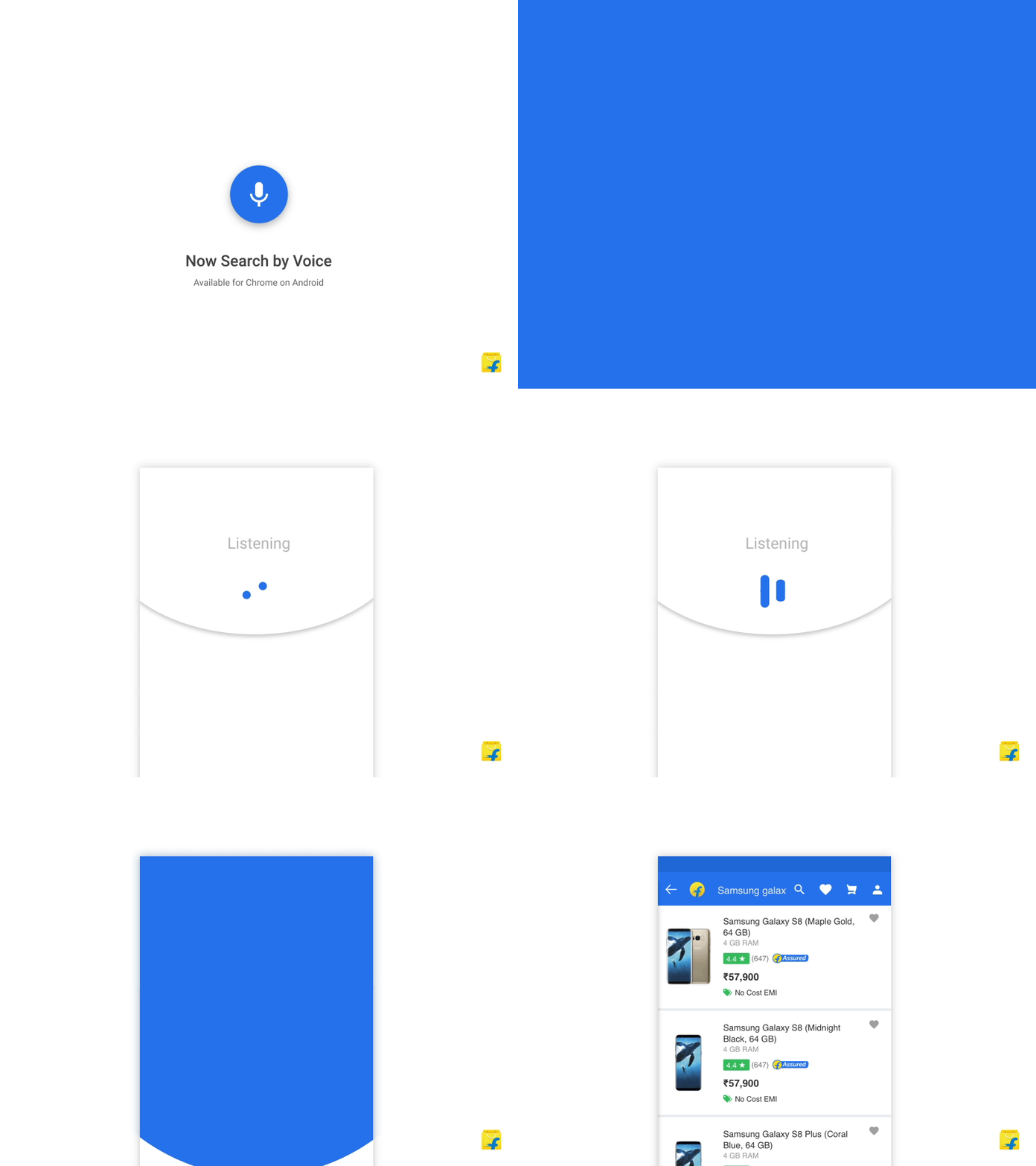
What about some more complex actions? Such as a checkout in an online store. Drag-and-drop an item into the shopping cart, swipe to proceed to checkout, then confirm it with your fingerprint. Easy peasy.

Think Content and the Whole Screen
Let’s start with the surfaces we currently touch to perform an action. Given that the vast majority of modern day graphical user interfaces are touch screen displays—often handled with our thumbs—it stands to reason that such interfaces will be with us for a long time. And we will definitely have that irresistible urge to tap—touch is our most important sensation after all. Touching the surface gives us a sense of real action, of control. How would it be, that instead of clicking on a particular point, we taught our users to interact with the entire surface?
Let’s see how Instagram does it:

Have you ever seen a button that allows you to browse an Instagram Story and return to the previous Story? Probably not, because all you need do is touch the left edge of the screen to make it happen.
Users have come to expect new ways of interacting with our digital products, and it often does not involve a button. Cards are responsive on all of their surfaces; by clicking on any word, we expect to find its definition; by touching pictures, we expect some action. Users are already accustomed to the fact that entire areas respond to touch.
That doesn’t mean we should replace one invisible problem with another. Users shouldn’t have to hunt around the screen guessing where to tap. Without buttons, designers need to provide affordances (such as motion, context, and immediate feedback) to communicate where interaction is possible.
Gesture Recognition
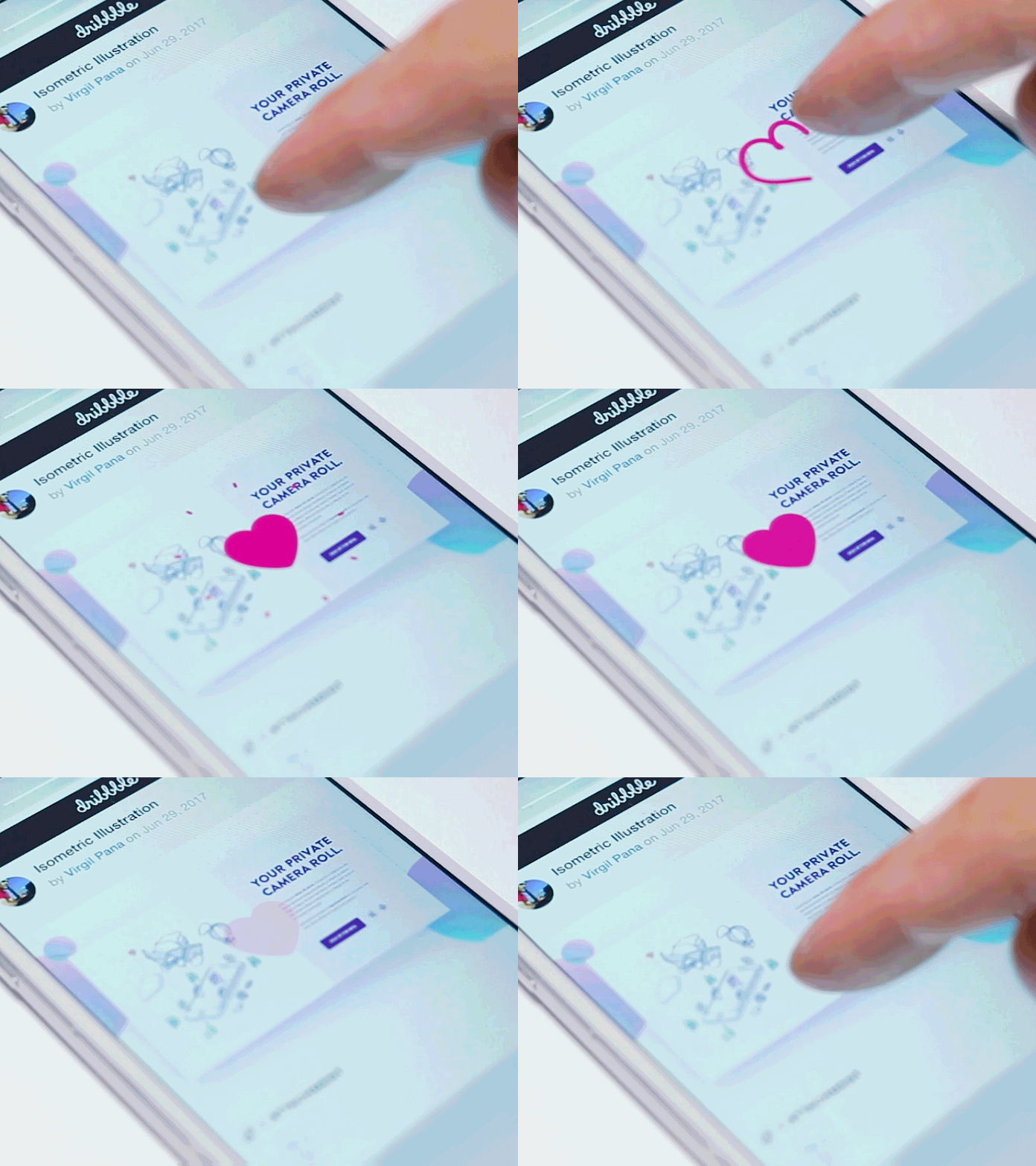
We understand gestures very well because they are natural to us and reflected in our physical actions. Currently, almost every application uses them to speed up navigation; we can double tap a photo instead of pressing it like a button; we can swipe to browse the gallery; or pinch to zoom any content.

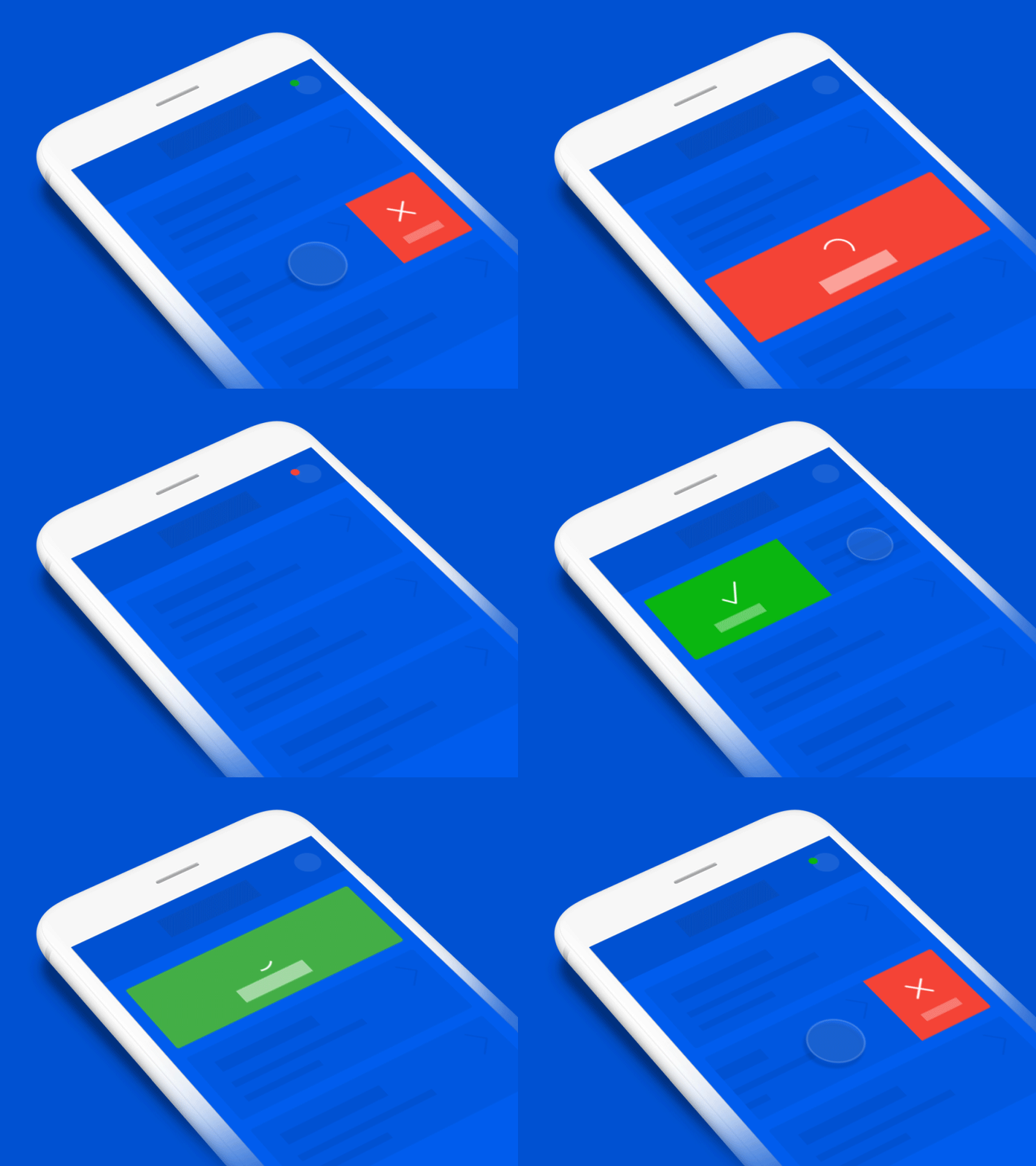
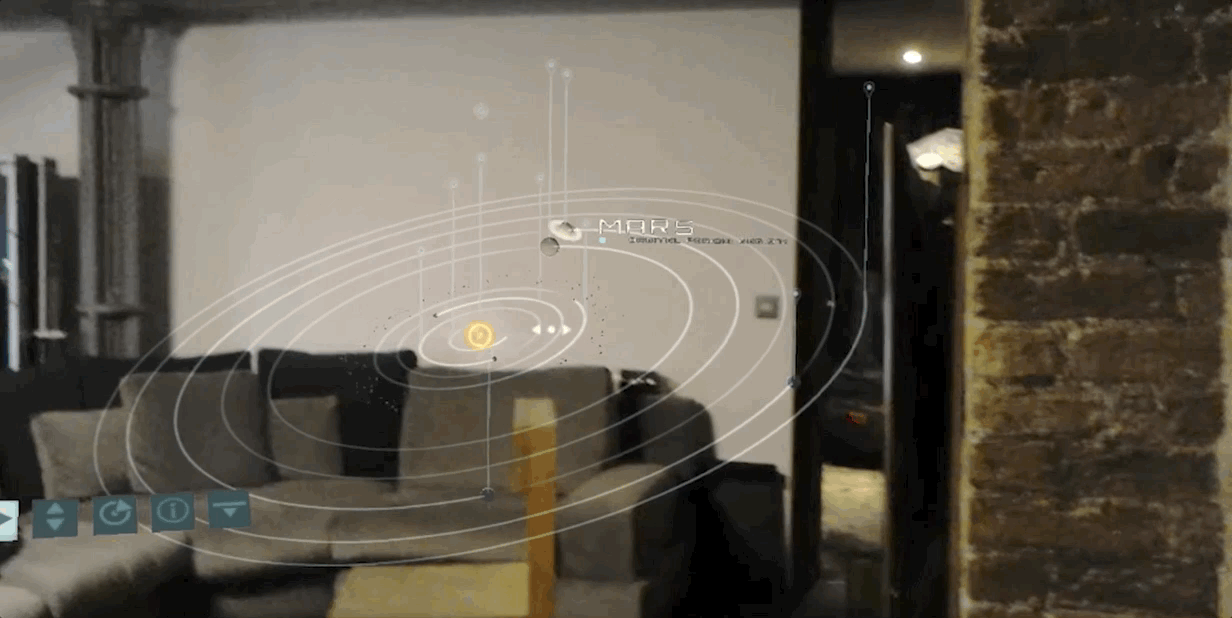
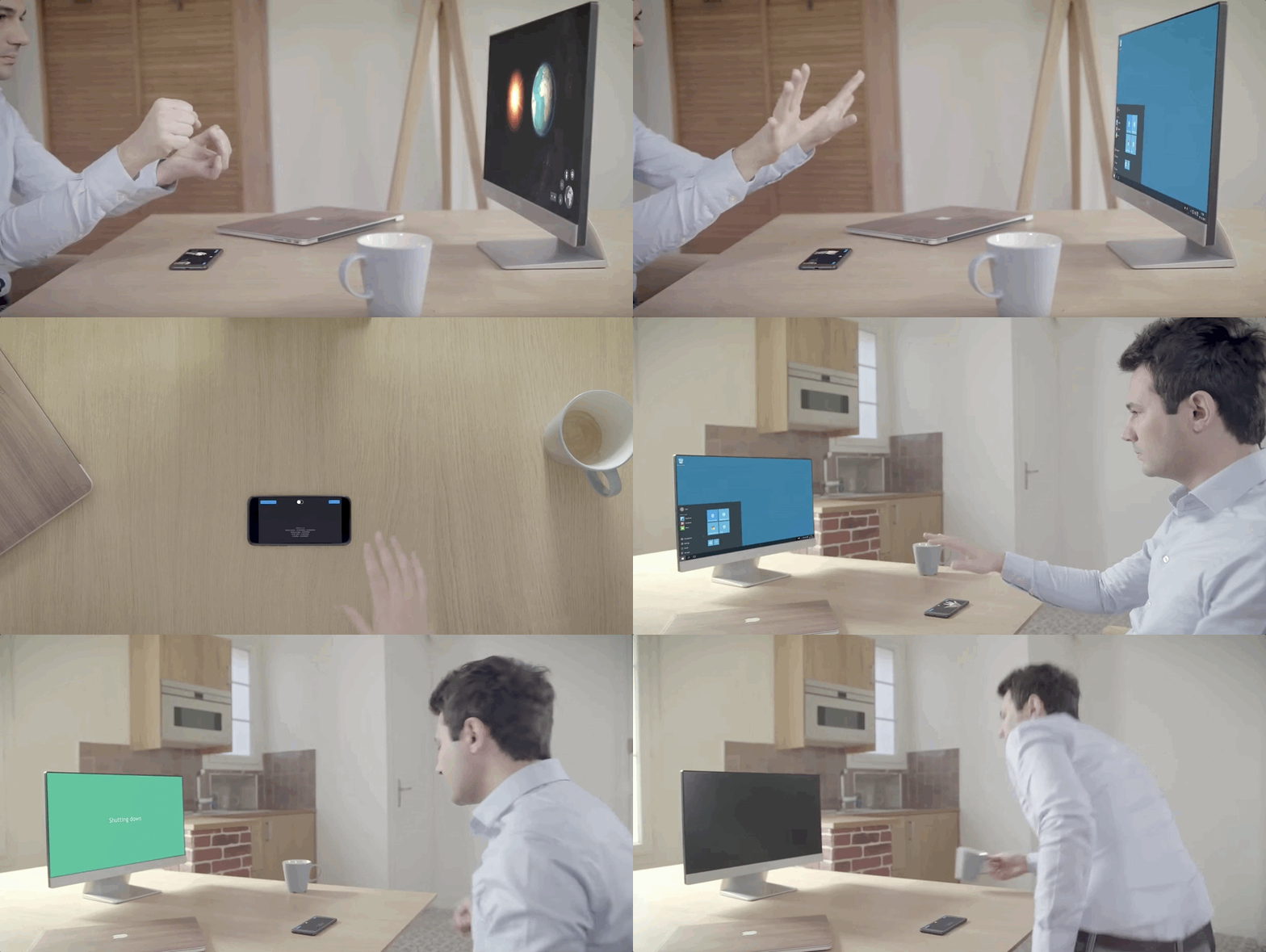
We make gestures not only on flat touchscreens—gestures are also performed in AR and VR spaces, where we can navigate with our entire body.

Voice Interfaces
Voice assistants like Siri, Alexa, and Google Assistant have moved this conversation from theory to daily practice. Many argue that voice interfaces are the future—it’s hard to disagree as their potential uses are beyond number. We can control vehicles, smart buildings, and machines simply by talking to them—just like we talk to a real person. With artificial intelligence and machine learning, machines are now able to understand our language more and more accurately. We are no longer confined to pronouncing carefully scripted “magical spells”; we can speak in full sentences.

By using speech, we can move freely in the world of money transfers. Some assistants now let you initiate a payment or transfer with a single spoken request—“send $200 to a friend,” for instance—with the transaction confirmed through a fingerprint, face scan, or other biometric check rather than a button.

The more responsibility we give voice interfaces, the more important trust becomes. Whether you’re transferring money or unlocking devices, users need to know when they’re being heard and how their voice data is being used. Privacy and transparency are now just as important as recognition accuracy.
Physical Actions, Connected Devices, and Video Recognition
Smile to pay? It’s here! WeChat Pay and Alipay have trialed and deployed facial-recognition payment systems in China that let customers pay by simply smiling at a camera—no buttons to press.

This is just one of the potential uses. Our devices are already equipped with a whole host of sensors and can monitor your entire body. Nothing is preventing you from using one finger to perform any action on your smartphone.
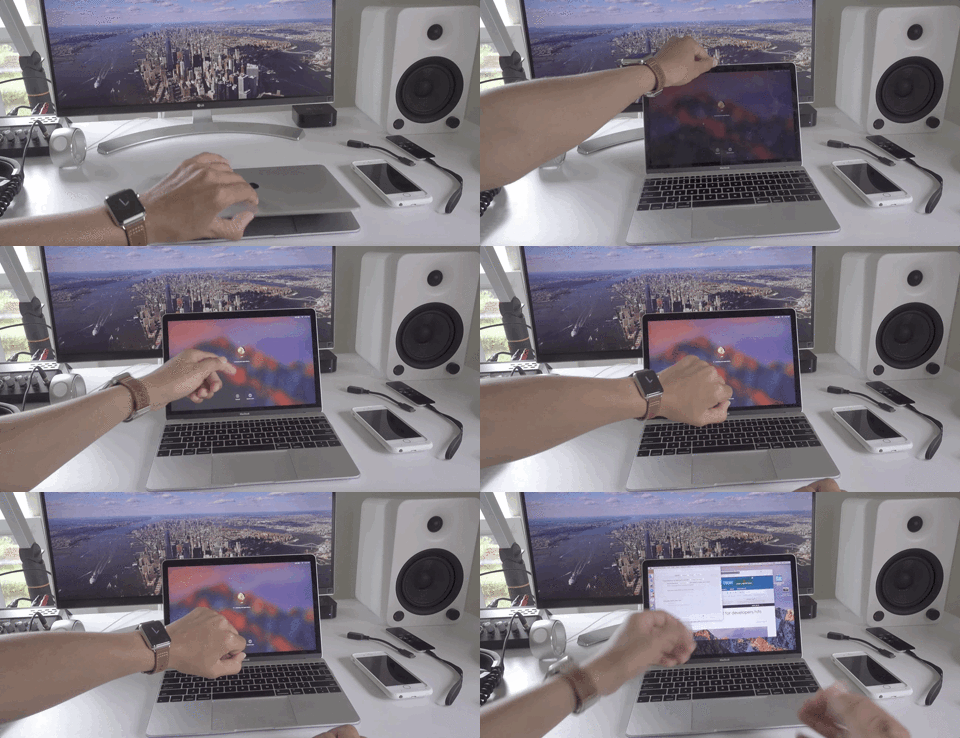
Another example of a physical action that will hasten the demise of buttons is simply being close to the device. Let’s look at the Apple Watch, for example—just pair it with your laptop and stand by to unlock your MacBook. Wearable devices can be used to confirm our identity as well as intelligently predict our needs based on location and sensor data. Thanks to them, we can already avoid using buttons on many interfaces.
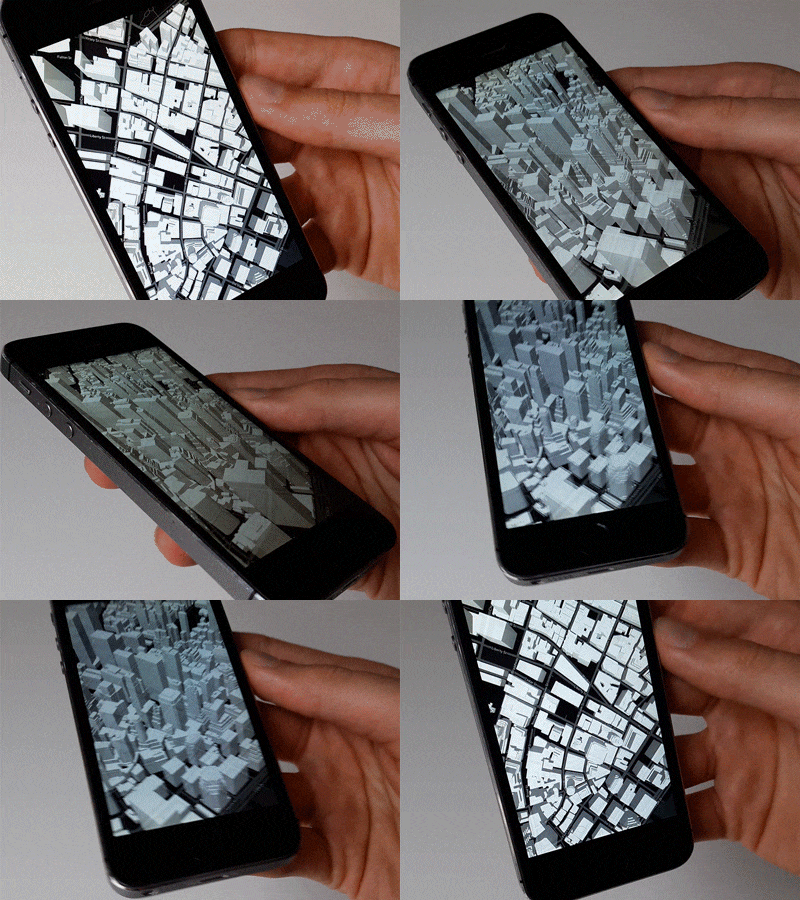

Let’s not forget about the technologies that have been widely available for several years. One is the gyroscope—available in almost every smartphone but rarely used in interfaces. Above, you can see experimental interfaces created by Patryk Adaś.
Technology can make interactions feel effortless, but it shouldn’t leave users stranded when sensors or biometric authentication aren’t available. Reliable interfaces always provide another way to complete an action.
Inclusive Button-less Design
Button-less design has to account for accessibility from the start, not as an afterthought. What’s intuitive for one person in one situation may not work at all in another. Picture yourself in a meeting or a quiet public space, needing to check a message, but the only way to interact is with a voice command. It doesn’t work.
Accessibility standards such as WCAG 2.2 reflect this idea by encouraging designers to support multiple ways of interacting, whether by touch, voice, gestures, a keyboard, or assistive technologies. The best button-less interfaces adapt to different people, contexts, and abilities while making every interaction feel just as natural as pressing a button once did.
UI Designs Future
With so many different options available to us, it’s now possible to forget about using typical rectangular buttons for users to interact with. With today’s technology, we have the ability to create completely new interfaces that can:
- Save users time
- Prevent errors, slips, and mistakes
- Compensate for any accidental actions
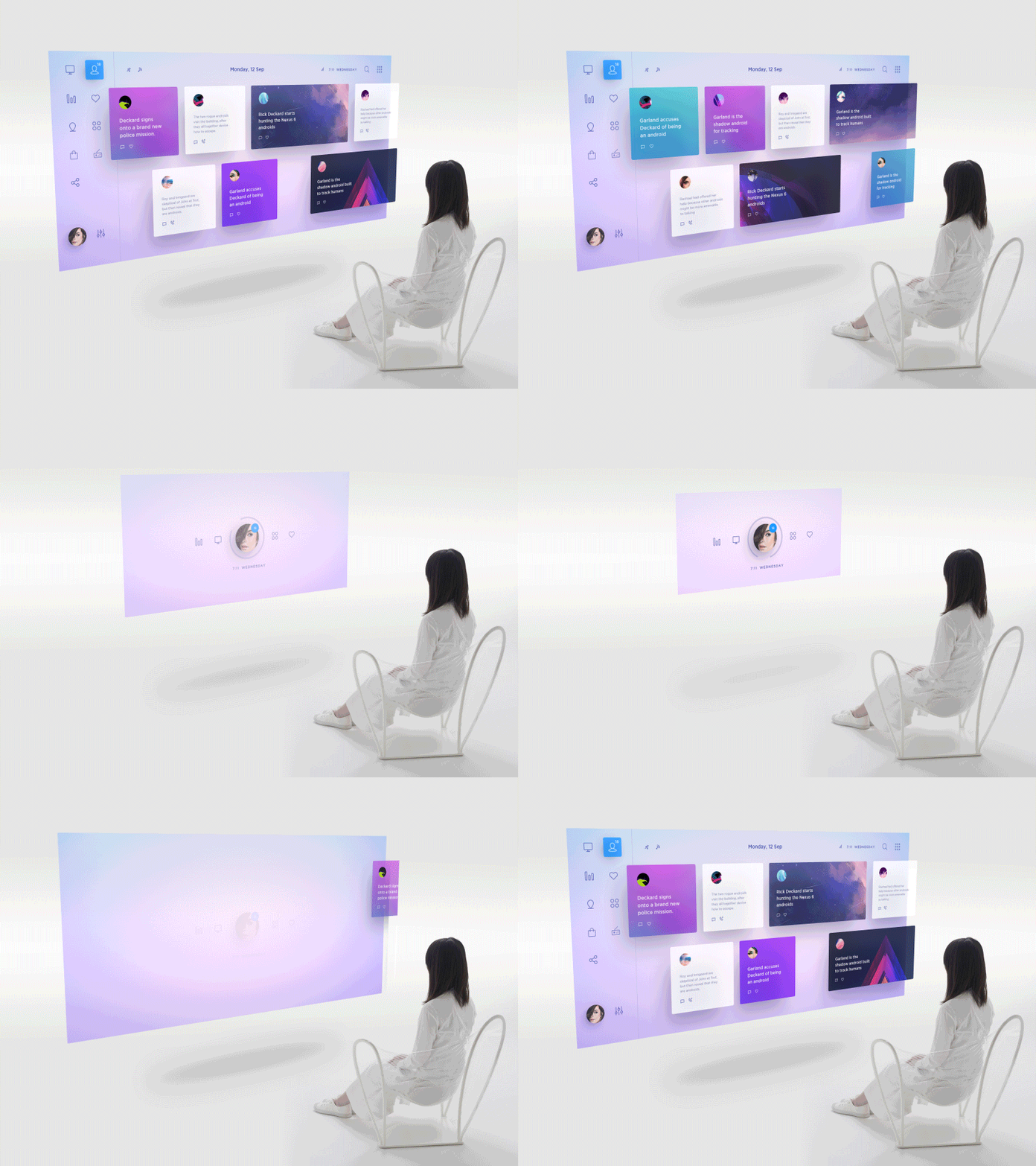
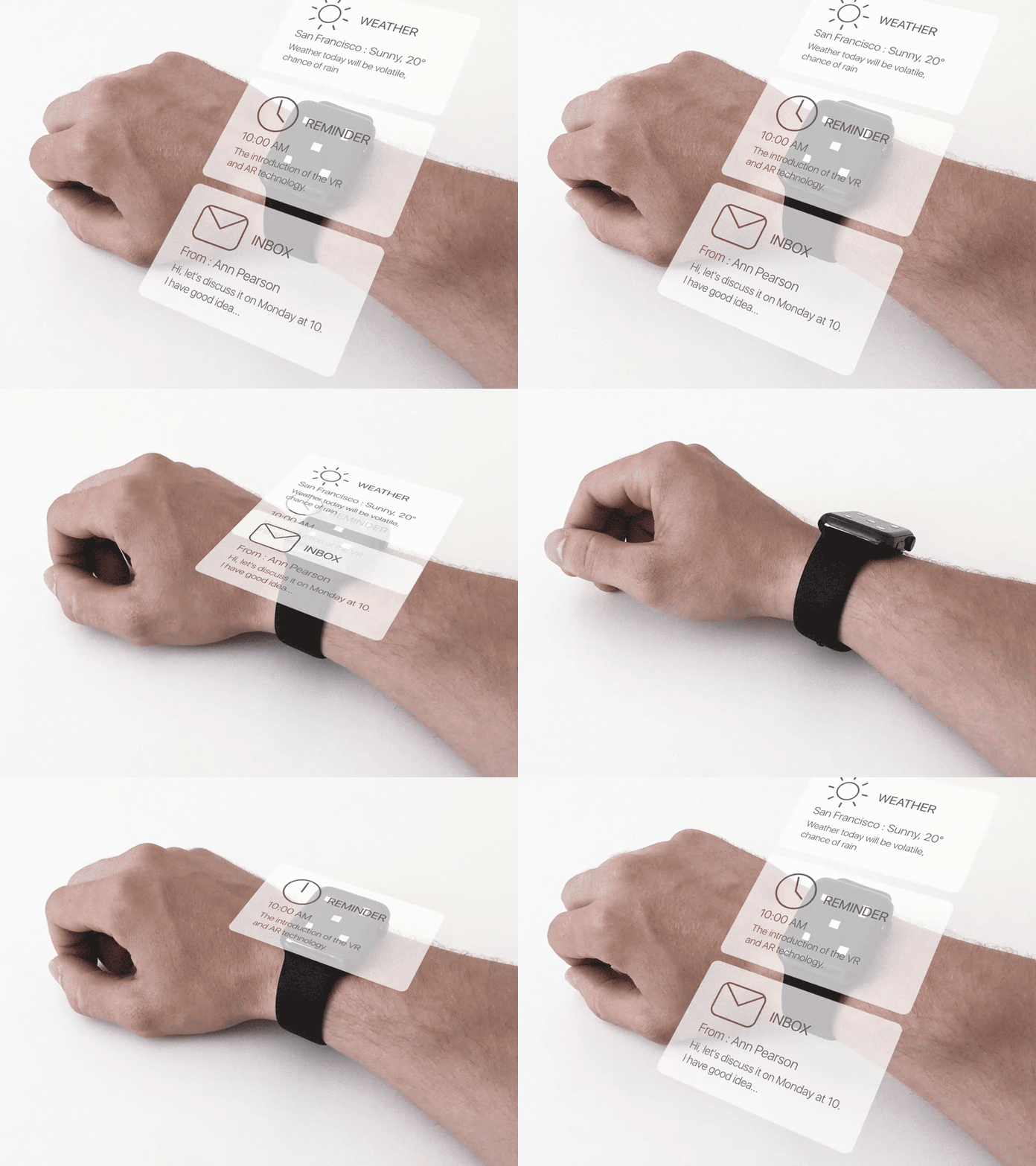
The time has come—technology is overtaking us. We, designers, MUST pursue it… and be sure to catch up!

Wojciech Dobry
Kraków, Poland
Member since March 14, 2017
About the author
Wojciech is a product designer and web designer with eight years of experience. He’s passionate about typography and sound design.
PREVIOUSLY AT