
Safe by Design: An Overview of UX Security
Interface designers: A disregard for UX security places users at risk—financially, professionally, and emotionally. Learn why security is a crucial aspect of interface design.

Interface designers: A disregard for UX security places users at risk—financially, professionally, and emotionally. Learn why security is a crucial aspect of interface design.

Mayank specializes in creating user-centered designs and translating complex systems into beautiful web and mobile experiences.
Expertise
Previously At

It’s time for bed, but first, a few routine tasks:
- Put on pajamas.
- Brush teeth.
- Open windows.
- Unlock doors.
- Place wallet, personal documents, and banking information in a convenient pile on the kitchen counter.
Sweet dreams.
If that scenario is unsettling, consider how often the same sensitive information is entered into our digital devices. Without the proper security protocols in place, our assets and identities are easy prey. Worse, as designers of digital interfaces, a disregard for security places users at risk—financially, professionally, relationally, and emotionally.
Security isn’t a trend or promotional tactic, it’s a crucial aspect of user experience and interface design.

The ideal interface is simple to operate and safeguarded against attempts to steal users’ private information. Delivering such a design is typically framed as a tradeoff between usability and security:
- If the interface is easy to use, it’s less secure.
- If it’s secure, it’s more difficult to use.
This tradeoff is a myth. We can design interfaces that are simple and secure without compromising the quality of either. Here, UX designers play a critical role by ensuring that both technical demands and user needs are met.
In many ways, UX designers are interpreters. They decipher technical requirements and make them understandable for users. They also exercise situational awareness by deciding when to focus on simplicity or when to involve sophisticated security measures. Balance is key, but it can only be achieved by including all stakeholders from the earliest stages of design.
Get Stakeholders Involved in UX Security Early
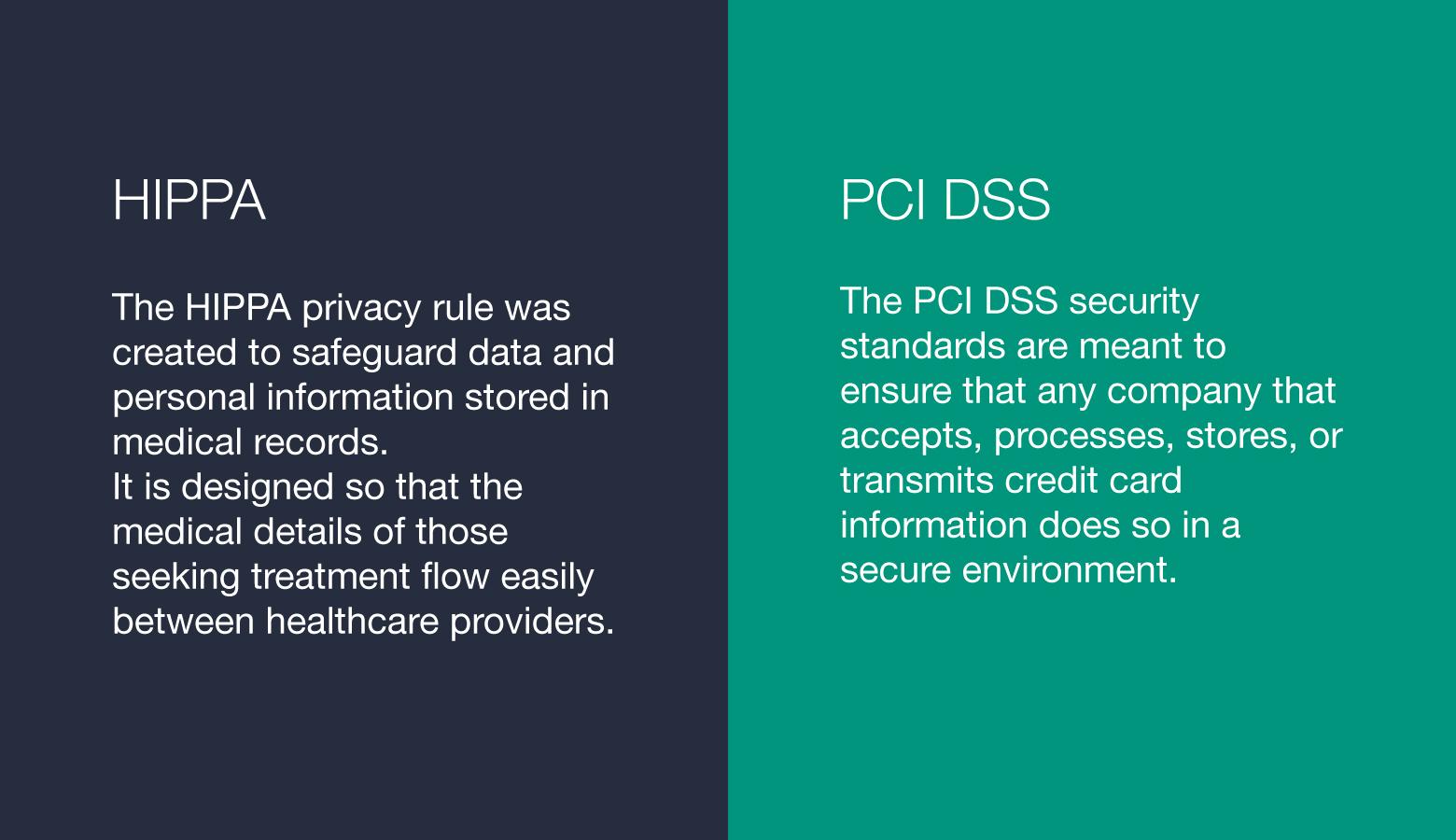
There are multiple parties that must be consulted to design a secure and successful digital product. For instance, design teams have to ensure that their products comply with relevant regulations like HIPAA for the healthcare industry and PCI DSS for banking and financial services. Also, security features implemented by design teams must meet the standards set by the technical teams behind digital products.
When it comes to security, it’s not uncommon for user input to be ignored. But to truly meet users’ security needs, designers must grasp their motivations, behaviors, and expectations. Often, users know very little about digital security, so designers ought to learn to anticipate the levels of risk that users will face as they navigate through various screens and features. The earlier risks can be identified within the design process, the better.
Ignoring stakeholders or incorporating their input late in the design process doubles the risk. It can open security holes in products that could have otherwise been prevented, or it can lead to products that are so secure they’re barely usable.
Design Methods for Product Security
Encryption
Encryption is a method of converting sensitive information into a code that appears to be random. It’s an important design consideration in digital products with communication features. In apps where calls, texts, videos, images, and documents are frequently exchanged (think WhatsApp), end-to-end encryption ensures that only the users involved in a conversation can see the data being exchanged.
This means that no one, not the company behind an app, not data criminals, not even the government, can see the content of messages. When users know that their information is protected by such measures, they’re much more willing to extend trust.
Authentication
It is essential to verify that only the owner of an account can log in—and that all intruders are locked out. Authentication is the most effective way to secure digital products from unauthorized access. Features such as sign-in methods and account recovery workflows should be identified and tested early in the design process.
For many years, usernames and passwords served as the primary means of authentication, but organizations are increasingly adopting passkeys and biometric authentication methods like fingerprints and facial recognition. These approaches are more convenient for users and help reduce risks associated with weak, stolen, or reused passwords.
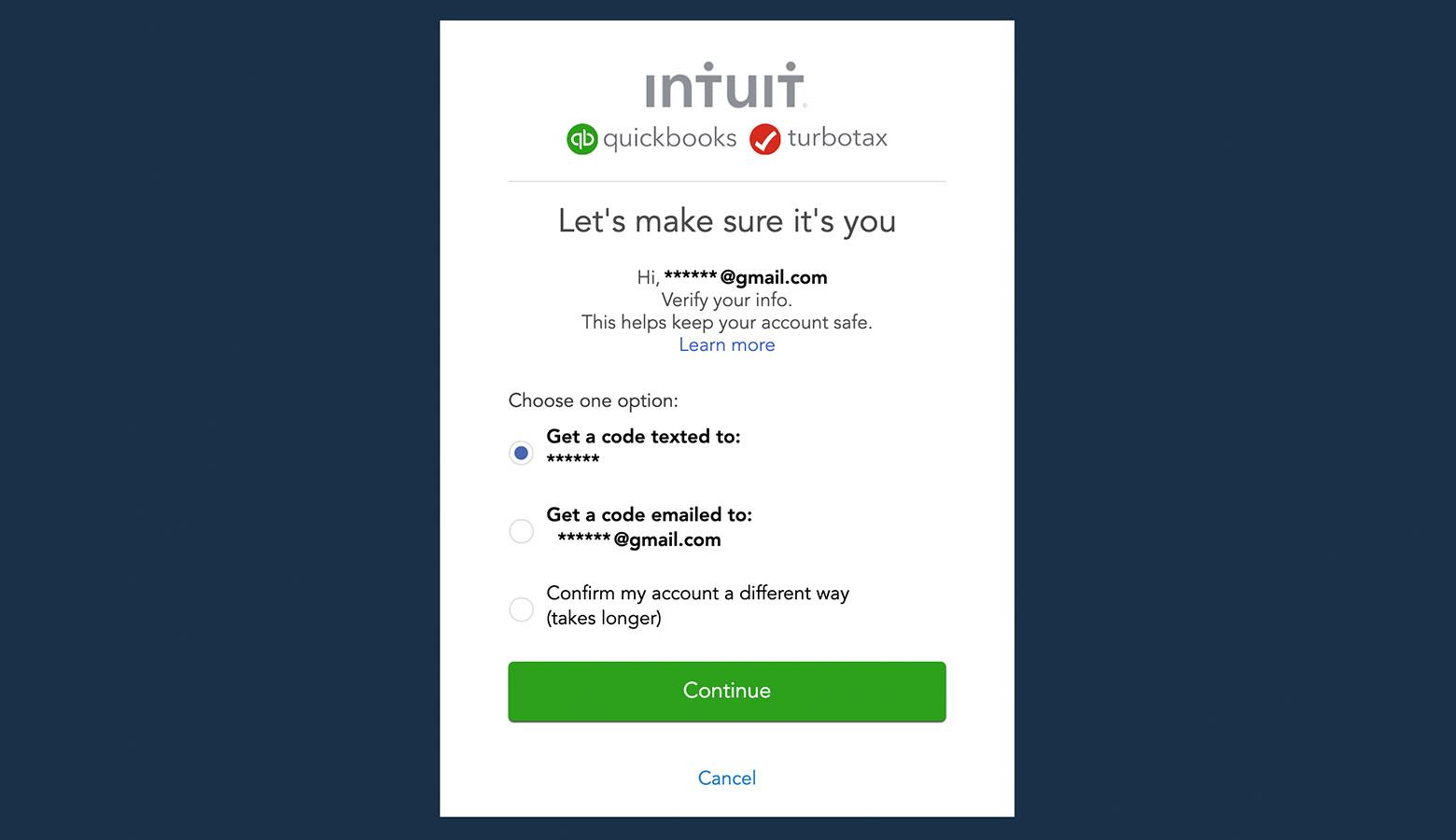
For additional security, products may also employ multi-factor authentication (MFA), which requires users to provide more than one form of verification before gaining access to an account. While one-time codes delivered by SMS or email are still common, many organizations now favor authenticator apps and passkeys because they offer stronger protection against unauthorized access.
Data Privacy
Ultimately, data privacy is an ethical consideration for designers and businesses. When users trade their personal data in exchange for access to a digital product, they’re choosing to believe that the company that oversees the product will handle their information with integrity. They’re also trusting that the features implemented by designers and developers are able to withstand data attacks.
Enhance User Privacy and Data Privacy
It’s worth repeating, digital products are made for users, not the other way around. Users’ interactions with products should never come with the risk that their data will be leaked or stolen. Sadly, this isn’t always the case.
Most cybercrimes are carried out with the intent of obtaining users’ personal data, but UX designers can help. How so? By implementing features that encourage secure sign-in practices and help users avoid sharing excessive personal information online.
For instance, a product’s authentication interface may include a friendly message explaining how modern sign-in methods help keep accounts secure. Instead of overwhelming users with technical requirements, the message could simply explain how these features help protect accounts and personal information. This way, users better understand the importance of securing their data and privacy.
Remove Unnecessary Security Obstacles
If product security depends on incorporating all stakeholders, then designers need to take the time to consult with developers and cybersecurity professionals. Developers typically have constraints that affect design, and they may be able to offer insights about the effectiveness of UX security features implemented by designers. Cybersecurity professionals can educate designers about the most up-to-date security strategies, tools, and compliance regulations.
In organizations with complex security requirements, designers may also benefit from working with dedicated security specialists or teams that provide application security services to help identify risks and validate security measures early in the design process.
A word of caution: Consulting security experts is good, but overdoing security measures makes digital products cumbersome and encourages users to look elsewhere. Vague messages like “Your internet connection isn’t secure” lead users to circumvent security features meant for their protection.
Ultimately, it reflects poorly on businesses when legitimate users can’t accomplish tasks or find themselves locked out of their accounts because of over-complicated digital security.

Secure Against Social Engineering
Of all the digital security attacks that take place, one scheme is considerably more common than any other. It accounts for nearly 90% of breaches worldwide and relies more on the art of deception than sophisticated technical abilities. What is this nefarious tactic?
Phishing.
Like con men of old, phishing (which occurs most often in emails) relies heavily on social engineering strategies to scare, pressure, and confuse users into handing over sensitive information and hard-earned cash. To protect against phishing attacks, designers can create security forums that allow users to report spam and post warnings to other users. They can also employ popups or messages within their apps to alert users of known phishing attempts.

Designing for AI Threats
Artificial intelligence has given modern scammers a powerful new set of tools. Instead of relying solely on deceptive emails and fake websites, attackers can now create convincing messages, images, and even videos that appear to come from trusted people and organizations.
Voice cloning is a growing concern. New tools can convincingly mimic a person’s voice from just a few seconds of audio, allowing attackers to impersonate trusted individuals and make fraudulent requests seem legitimate.
Like traditional phishing attacks, AI-powered scams succeed when users are rushed or pressured to act without verifying what they see or hear. Designers can help by creating experiences that encourage users to slow down and confirm important information before taking action. Clear indicators of identity and simple ways to verify information can make fraudulent interactions easier to spot.
When users are asked to perform sensitive actions, verification should be simple and obvious. Thoughtful UX design can’t prevent every scam, but it can make deception far more difficult and help users avoid costly mistakes.
Designers Need Digital Security Too
For all the effort that goes into security, one overlooked vulnerability can seriously compromise the integrity of digital products. It has little to do with technology—it’s designers themselves.
For every product created, there are hundreds (even thousands) of design artifacts generated. Dozens of communication channels are utilized. Links to strategic documents are sent to multiple parties. And, distributed teams are increasingly dependent on cloud-based design tools.
If designers don’t take precautions to guard their work and communications, attackers will find ways to infiltrate organizational weak points. This may mean participating in cybersecurity training, following clear asset management and communication guidelines, and using secure sign-in methods when accessing design tools and company resources. Teams should also be mindful of who has access to shared files in collaborative design platforms like Figma and regularly remove permissions that are no longer needed.
Design for Security
Secure and usable interfaces don’t happen by accident. They are the result of designers who take the time to identify points of data vulnerability and involve stakeholders early in the creative process. Security is no different than any other critical feature—end users’ needs mustn’t be ignored.
When designers find helpful ways to communicate the value of security and ensure that safety features operate efficiently, users will reward the companies that oversee digital products with their trust and ongoing engagement.
Further Reading on the Toptal Blog:
Understanding the basics
When it comes to mobile products, secure design ensures that users’ sensitive information is protected. There are a number of UX security measures that can be taken. End-to-end encryption, two-factor authentication, and microcopy encouraging strong passwords are all strategies that bolster secure design.
To design a secure application, designers must first know what the various stakeholder requirements are. Interface design for security requires knowing users’ needs, understanding the technical requirements of developers, and being aware of any regulatory mandates related to the app’s industry.
The security user experience of a mobile application is important because cybercrimes are increasingly prevalent in our digital world. If mobile apps aren’t secure, users’ personal, financial, and work-related information can be easily accessed by those who would use it for criminal purposes.
To build trust through security UX design, designers must first understand users’ needs. When user needs are understood, designers can enact features like end-to-end encryption and two-factor authentication to build trust. Designers can also work with clients to maintain best practices for users’ data privacy.
To build trust and ensure a secure application design, designers must include all stakeholders from the earliest stages of product development. Users, executives, developers, cybersecurity pros, and even government officials may have relevant information that will make a product more secure.

Mayank Sharma
Berlin, Germany
Member since October 10, 2017
About the author
Mayank specializes in creating user-centered designs and translating complex systems into beautiful web and mobile experiences.
Expertise
PREVIOUSLY AT