
REST Assured vs. JMeter: A Comparison of REST Test Tools
Apache JMeter and REST Assured are two very popular Java-based tools for automated testing of REST API services.
In this article, Toptal Freelance Java Developer Nemanja Veskovic gives us an overview of the pros and cons of both of these tools and shows where they fit best in your existing REST API projects.

Apache JMeter and REST Assured are two very popular Java-based tools for automated testing of REST API services.
In this article, Toptal Freelance Java Developer Nemanja Veskovic gives us an overview of the pros and cons of both of these tools and shows where they fit best in your existing REST API projects.

Nemanja is a QA with more than ten years of experience working with various QA teams. He also has 4 years of experience as QA team lead.
Expertise
Previously At

Automated testing is a critical component of the software quality assurance process. But testing representational state transfer (REST) APIs can be a tricky business. Many who resort to manually testing REST APIs overlook details and miss out on ways they could save time.
Any REST API service being tested properly will have these areas covered:
- Testing of whether the API service complies with REST standards
- Testing of API service response codes
- Assertion of API service response content
- Performance benchmarking of the API service
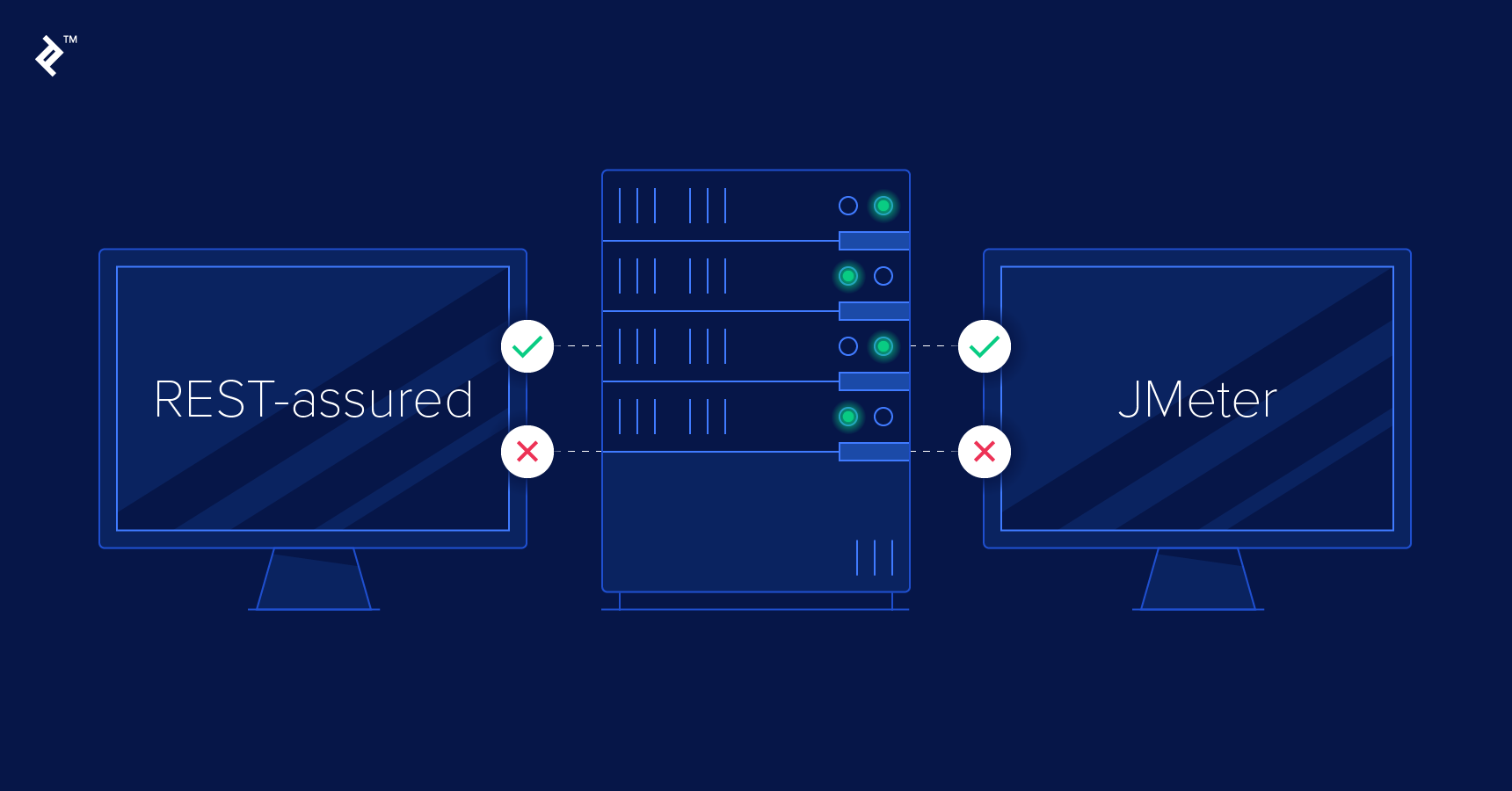
For this, you need the right tools. Apache JMeter and REST Assured are two popular tools for testing REST APIs. While this article focuses on these two Java-based tools, many QA teams also use tools such as Playwright for API and end-to-end testing or K6 for performance testing as part of their testing strategy.
In this article, you will learn the pros and cons of Apache JMeter and REST Assured and where they fit best in your existing REST API projects.
Ease of Setting Up
There is one prerequisite: Both JMeter and REST Assured require Java, so you need to have Java installed on your computer in order to run JMeter or REST Assured.
Installing Apache JMeter is very simple: Go to the download page, pick the ZIP or TAR, download the archive, unpack it, and you’re ready to go.
Go to the folder where you unpacked the archive, go to bin subfolder, and run jmeter.bat (or similar for your operating system, if other than Windows). For more detailed information on how to set up Apache JMeter, see this page.
Installing REST Assured is a bit of a different experience. REST Assured is not a standalone tool. It is a Java library. In order to use it, you have to set up a new Java project and include it as a library for your project. Of course, there is support for many build tools, so you can simply point your dependency resolver to a public Maven repository. You can find more detailed information on how to set up REST Assured here.
Documentation
Apache JMeter documentation can be found on the official JMeter website. It provides some pretty thorough documentation from getting started to complex features such as listeners. Also, in the official JMeter website, you can find links to some very rich resources, such as video tutorials. If you are less into reading and more into watching, this is definitely a plus for you.
REST Assured documentation, as the tool/library itself, can be found inside the GitHub repository. It has a big list of features listed in online documentation with very detailed explanations of how to achieve something. However, the entire documentation is one huge web page—not the most user-friendly way of exploring a tool.
Automated REST Test Creation and Maintenance
Apache JMeter, as a standalone application with a graphical user interface (GUI), allows you to create your tests from the GUI. This can be handy, especially because of JMeter’s hierarchical organization of test elements—everything you create inside your test will be shown in a tree-like representation in JMeter GUI.
In order to create a test, one does not have to have any coding skills. However, the GUI does not limit your test planning possibilities. If you would still like to add some custom programming or flow, JMeter’s JSR223 components using Groovy are the standard approach. BeanShell components remain available primarily for backward compatibility.
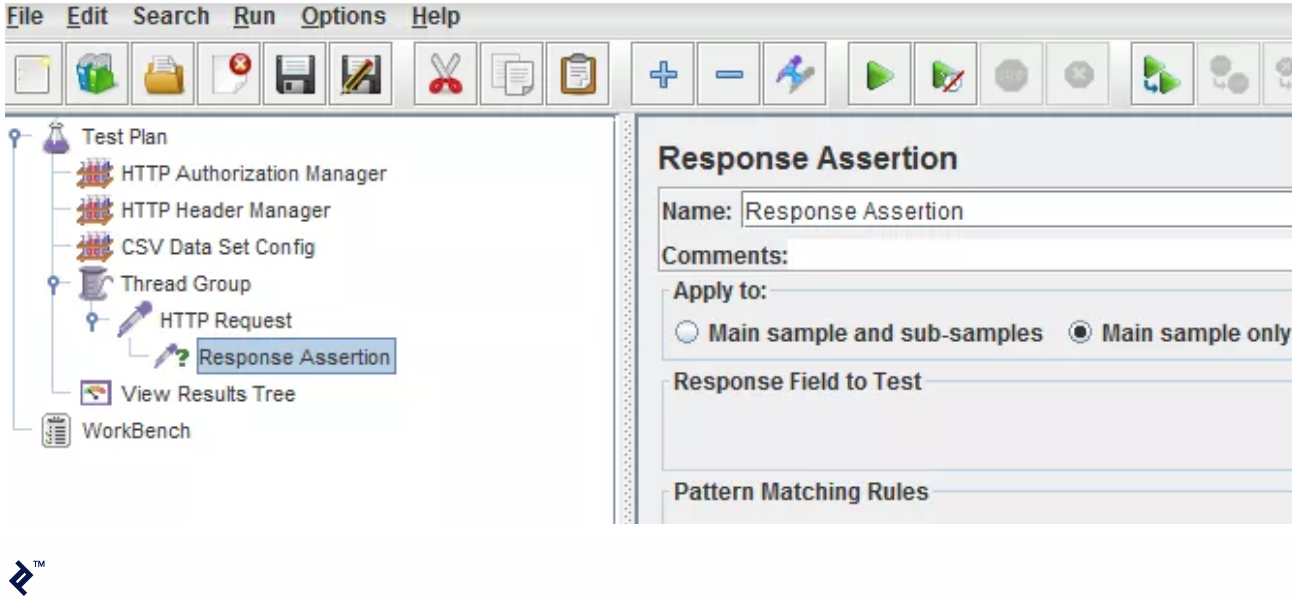
When you save your JMeter project, all that you have created will be saved to one huge XML file (with the .jmx extension). Generally, even for a small change in one of the tests, you will (very likely) have to reopen the project in the GUI in order to make the change.
If you need to collaborate with others on the same JMeter project file, this huge XML file will not be easy to maintain using any of the source control management (SCM) systems (such as Git, SVN, Perforce, etc).
REST Assured, on the other hand, requires Java coding skills to create the tests. There is no user-friendly GUI for test creation. However, REST Assured’s fluent API follows a Given-When-Then style inspired by Gherkin, making tests relatively easy to read despite requiring Java coding skills.
given()
    .config(
        RestAssured.config()
            .jsonConfig(jsonConfig().numberReturnType(BIG_DECIMAL))
    )
.when()
    .get("/price")
.then()
    .body("price", is(new BigDecimal("12.12")));
Since REST Assured is a library and tests are actually written in Java, you can organize your tests in separate Java files, so when you need to change one test, you just need to open one file. You don’t need a GUI, so you can edit the test easily even through an SSH terminal. Collaboration with others is fairly simple because it is easy to maintain Java files using any SCM.
Types of REST Tests
JMeter is well known as a performance test tool for testing web apps and services. Out of the box, it has nice reporting options with different chart types that you can use to show the performance test metrics.
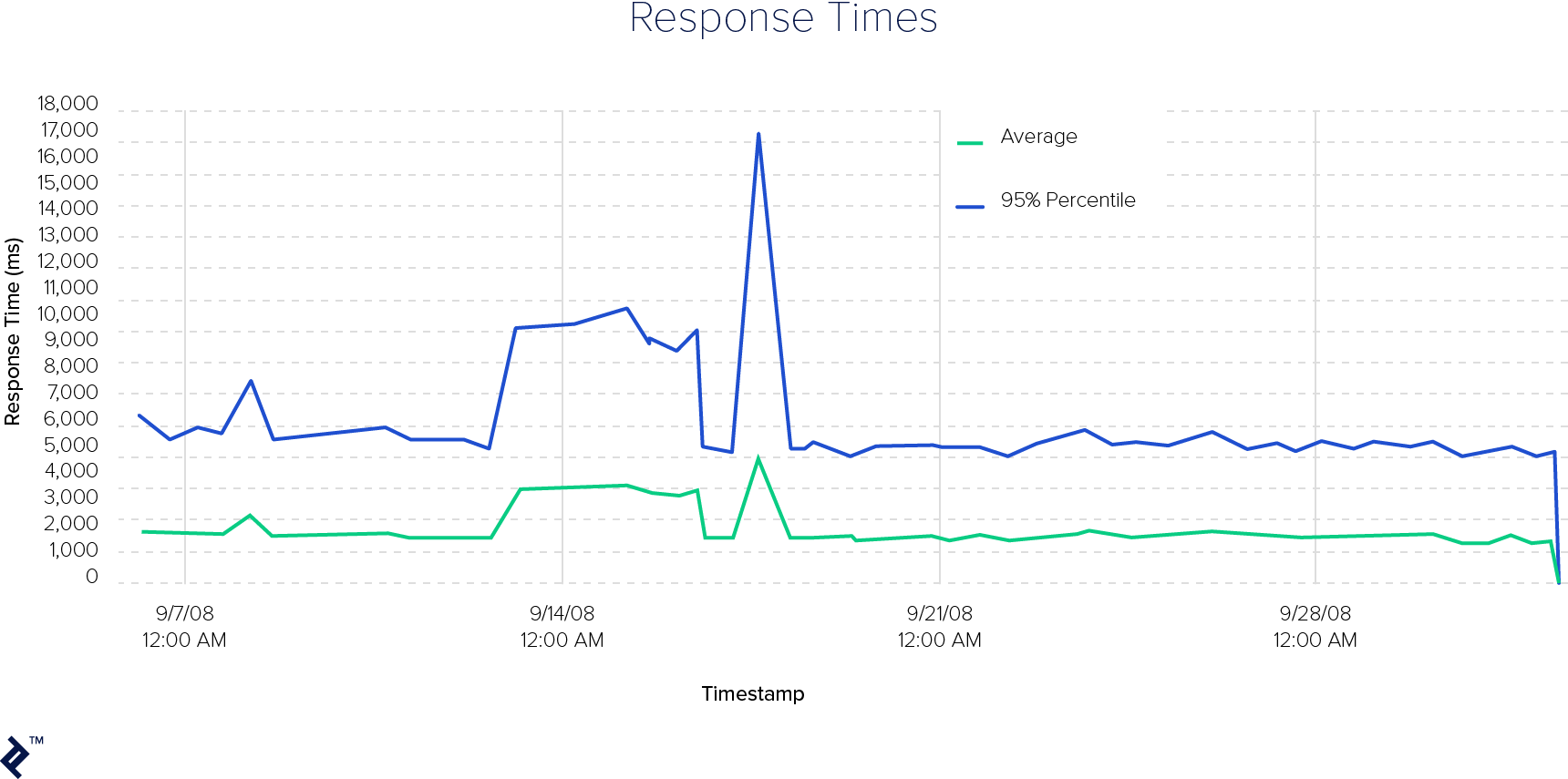
On the other hand, it is not the primary use case for JMeter. You can create functional tests for REST APIs with JMeter, including response assertions.
REST Assured’s primary usage scenario is for functional testing of REST API services. It even comes with its own response assertion mechanism using its fluent Given-When-Then API. Since REST Assured is a Java library, it can easily be integrated with unit tests.
When it comes to performance testing, REST Assured does not support performance testing out of the box. If you, however, would like to use it for performance testing, you would have to develop your own custom framework for performance testing around REST Assured.
Test Execution
JMeter tests can be invoked in two ways.
From the user interface, by clicking on the Run button:
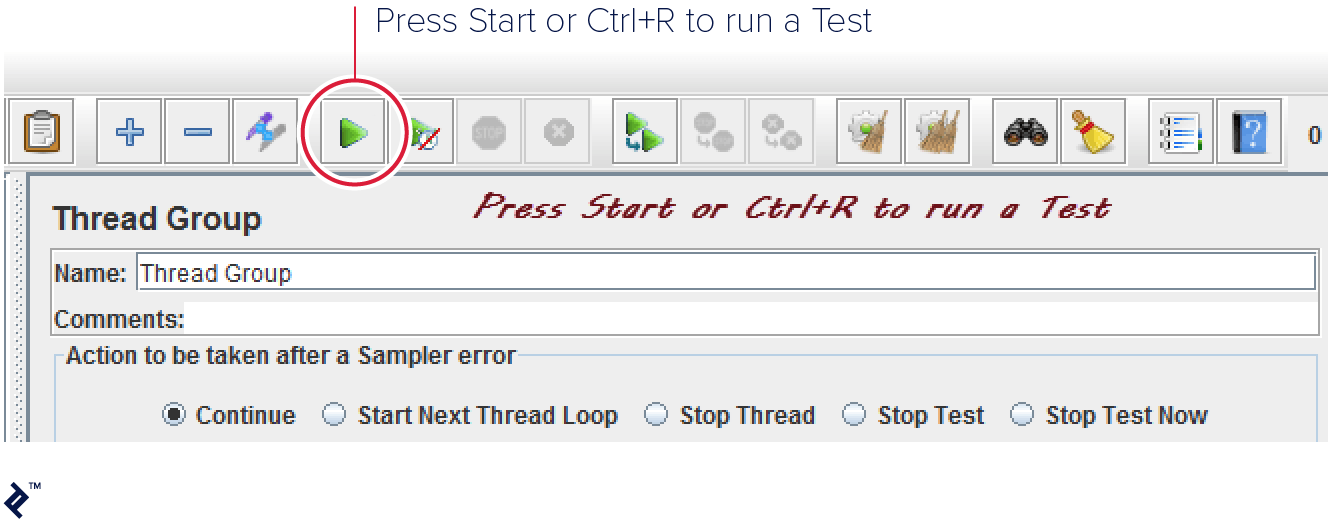
From the command line:
jmeter -n -t your_script.jmx
The official recommendation from JMeter is not to run the performance tests using the GUI, as the tests will run slower (in terms of number of requests per second) compared to running them from the command line.
REST Assured, on the other hand, requires a separate test runner, for example, JUnit or TestNG (or any other way for executing Java code).
From Eclipse using TestNG:
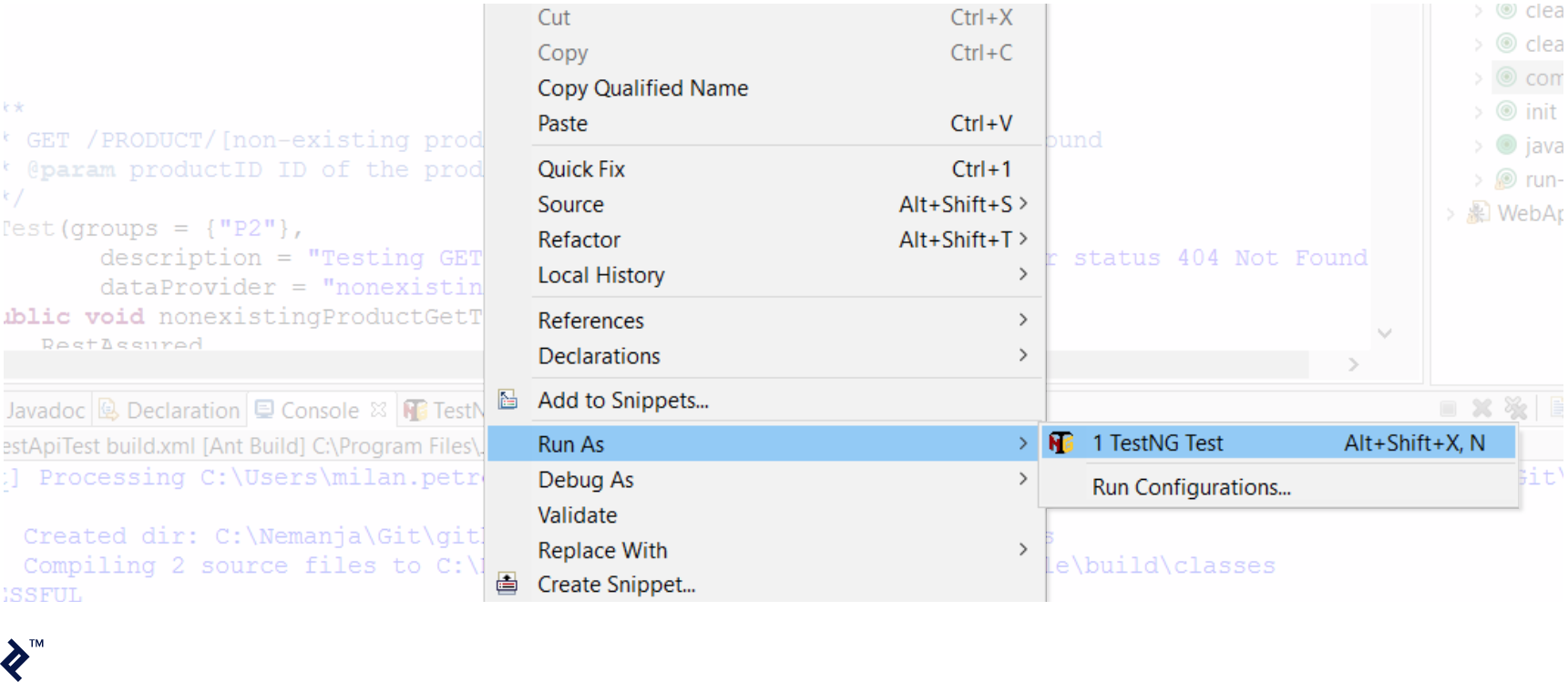
From the command line, using, for example, the Ant build tool:
ant run-tests
Types of Reports
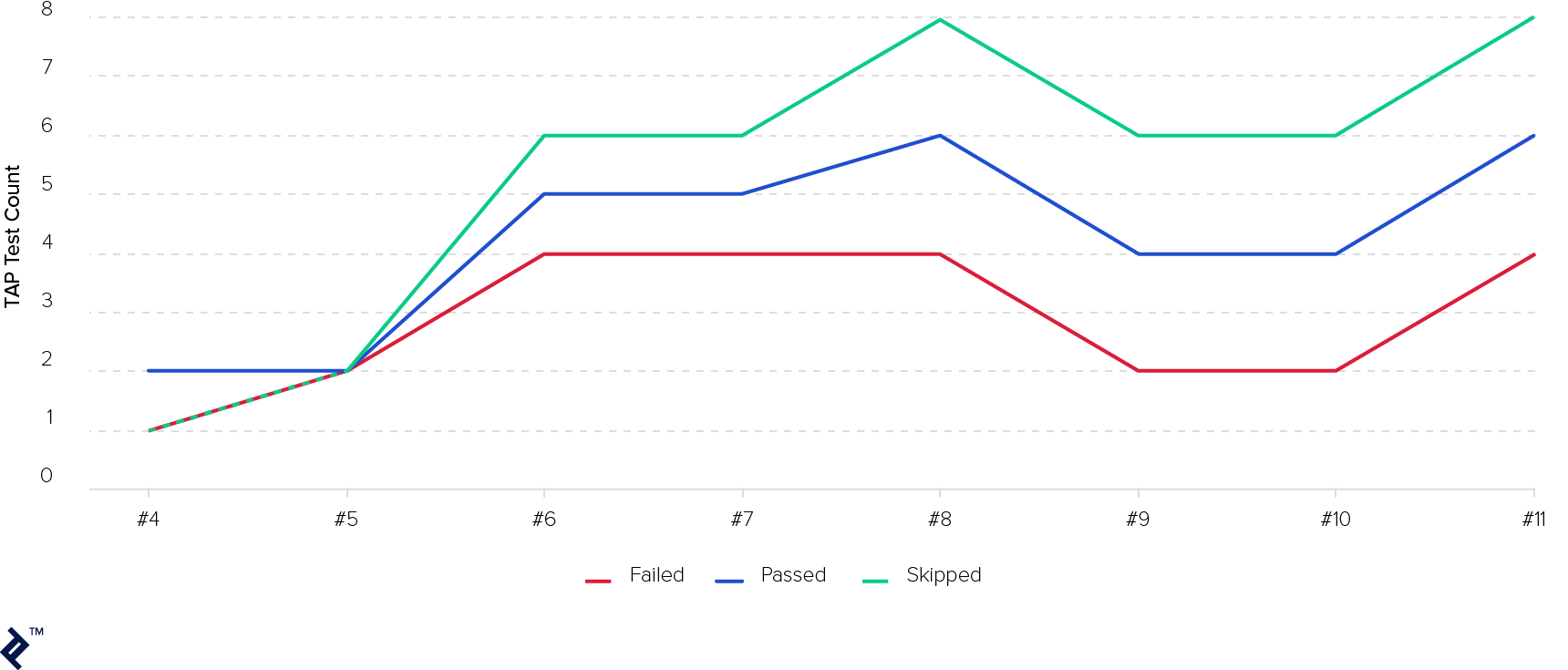
Apache JMeter, due to its primary purpose, has a large number of report types that you can create from the results of your tests. Since you can run performance tests from JMeter, performance metrics are usually shown using charts like this:
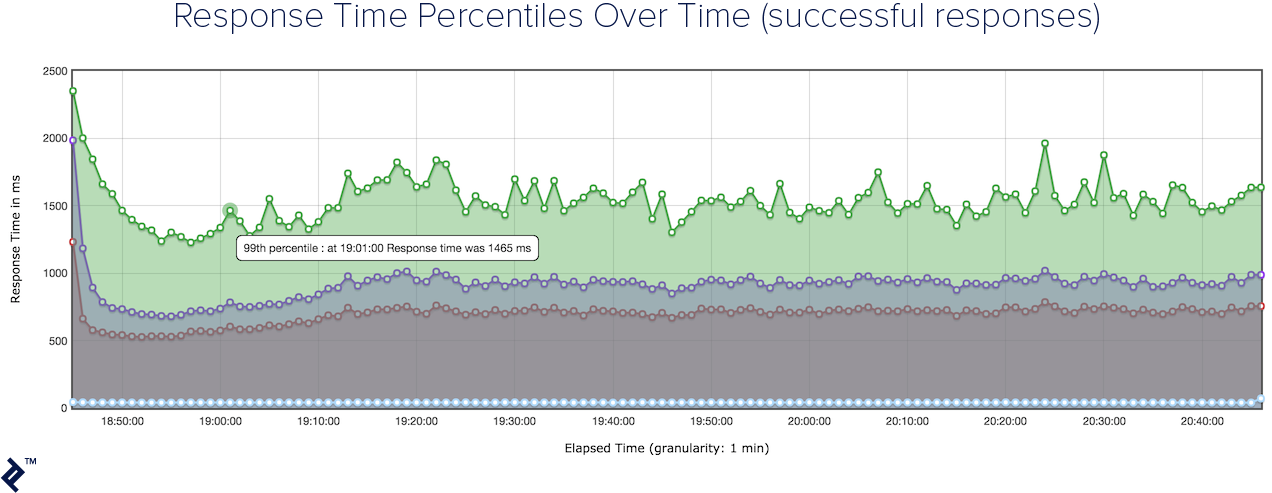
You can learn more about JMeter reports and the types of reports you can create from here.
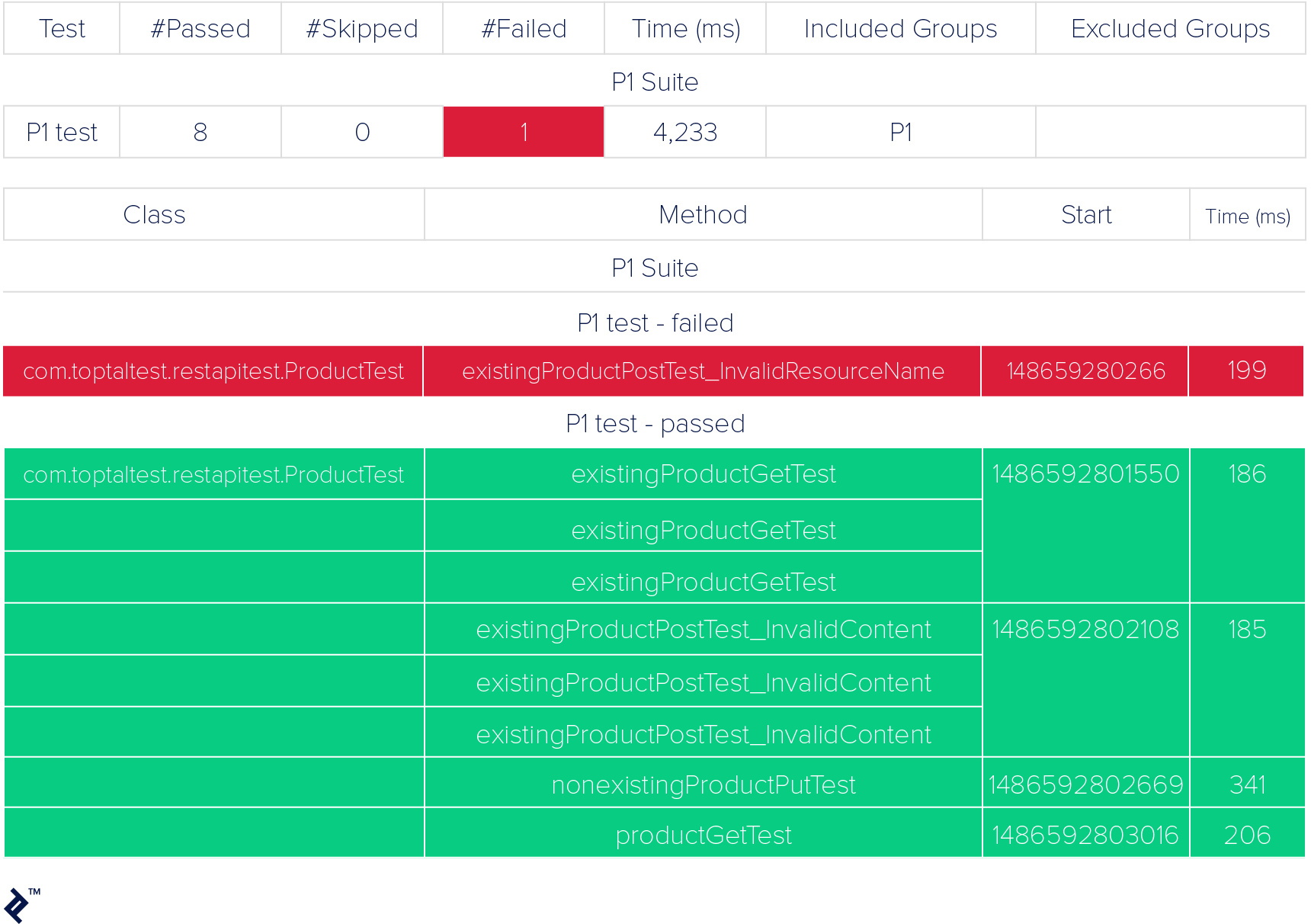
REST Assured itself does not create any reports, so it is up to you and the test framework you chose. However, when integrated with some unit testing framework, you can get pretty usable reports in HTML, text, or XML formats.
Integration with Jenkins
When it comes to continuous integration of products under test, it is very important to integrate your test automation framework with CI tools for both running tests and reporting on results.
JMeter automated tests can be easily integrated with Jenkins using the Performance plugin, which allows you to set up Post-build actions and to get a nice-looking dashboard page out of a Jenkins job page.
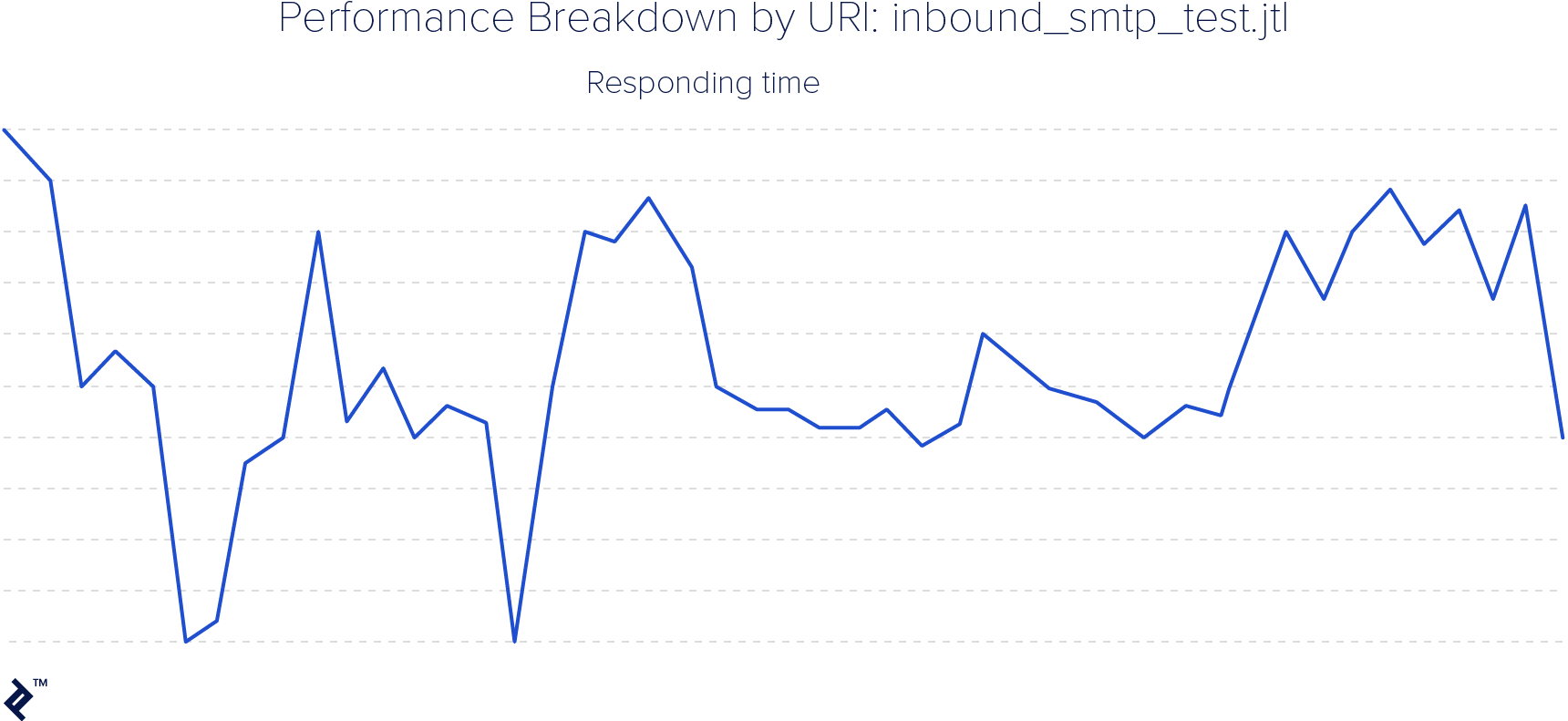
REST Assured can also be easily integrated with Jenkins because Jenkins has plugins for almost all testing frameworks; for example, the TestNG plugin, which again can create a solid trend chart for test results.
Community Activity
This is a category that cannot be measured easily. Community activity depends on a number of factors, such as the maturity of the tool or the number of contributors.
Apache JMeter has a larger community. This is mostly because JMeter has been around longer and has long been a leading tool for performance testing web applications and services. Its GitHub repository is very active, with regular commits and open pull requests. JMeter tracks issues there too, keeping development and issue discussions publicly visible. JMeter also has an active community on Stack Overflow, where developers regularly ask questions and share solutions. On Facebook and LinkedIn, there are no official JMeter accounts, but there are a couple of groups: the larger of which is this Facebook group and this LinkedIn group.
REST Assured has carved out its place as a popular choice when it comes to automating REST API service functional tests. Its GitHub repository has a smaller commit history and contributor base than JMeter’s, reflecting JMeter’s longer track record as a project, but it is also very active. REST Assured also tracks issues there, making development activity publicly visible. The REST Assured community on Stack Overflow is significantly smaller than JMeter’s, though it remains an active forum for technical discussion. As for social media, this LinkedIn group appears to be the only group, albeit with comparatively low membership. The REST Assured community may not be as big as the JMeter community, but it is very active.
Summary
Both JMeter and REST Assured have their advantages. Based on the project that you are working on, one will be a better fit than the other for your REST API test automation. Both are robust tools with useful testing options, strong reporting capabilities, and straightforward integration with custom testing frameworks.
Here is a summary of all of the comparison criteria explored in this article for these two popular REST test tools:
|
Apache JMeter
| REST Assured | |
Requires coding skills | No | Yes (Java) |
Thorough docs | Yes | Yes |
Functional testing | Yes (but overkill) | Yes |
Performance testing | Yes | No (out of the box) |
Suitable for SCM (Git, P4...) | No | Yes |
Test reports | Yes | No |
Integration with CI tools | Yes | Yes |
Integration with unit tests | No | Yes |
Test parallelization | Yes | Yes |
Community activity | Yes | Yes |
Understanding the basics
REST Assured is a Java library that can be imported in a project and used as-is or in combination with other unit testing frameworks.
JMeter is a Java-based GUI tool for API testing and benchmarking.

Nemanja Veskovic
Belgrade, Serbia
Member since January 6, 2017
About the author
Nemanja is a QA with more than ten years of experience working with various QA teams. He also has 4 years of experience as QA team lead.
Expertise
PREVIOUSLY AT